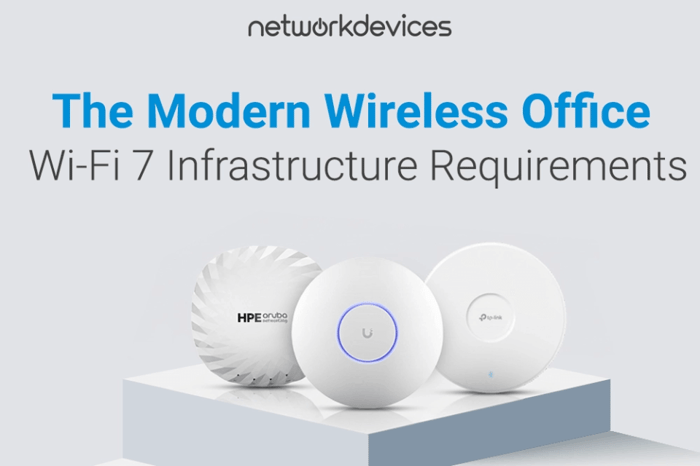

Most Wi-Fi 7 conversations stop at access points. Budgets should ot.
A $1,200 Wi-Fi 7 AP that can push 5 Gbps of aggregate throughput does nothing special when it is pinned to a 1 GbE port over old Cat 5e. The moment that AP hits the ceiling of the wired side, it becomes a costly bottleneck. The same applies at the power layer: when a 35–50W AP is connected to a switch that delivers only 25.5W per port.
This article takes a simple position: a Wi-Fi 6E or Wi-Fi 7 deployment without infrastructure upgrades is a waste of money. The enterprise Wi-Fi 7 upgrade path runs through your switch closets, cable trays, and PoE budgets, not just your ceiling tiles. If you ignore Wi-Fi 7 infrastructure requirements, you end up with 802.11be hardware delivering 802.11ax performance.
We will cover three areas. First, how 6 GHz signal behavior forces denser AP placement than 5 GHz and what that means for port counts and cable runs. Second, how Wi-Fi 7 PoE requirements and 802.3bt vs 802.3at math determine which features actually turn on. Third, why 1 GbE uplinks create a hard throughput ceiling and how to size Wi-Fi 7 switch requirements, multi-gig access, and 10GbE uplinks. Along the way, you will see a side-by-side infrastructure comparison of Wi-Fi 6, 6E, and 7, plus a deployment checklist and a natural path to Cisco Catalyst-class switching.
Executive Summary: Infrastructure Requirements
Key Takeaways
- Minimum Cabling: Cat 6A certified to 500 MHz for 10GBASE-T
- PoE Standard: 802.3bt Type 3 (≈51–60W) minimum; Type 4 (≈71–90W) for high-end APs
- Per-AP Uplink: 2.5GbE minimum; 5GbE/10GbE in high-density zones
- Switch PoE Budget: Plan ~50W per Wi-Fi 7 AP when sizing total PoE capacity
- AP Density Increase: Expect roughly 30–50% more APs for 6 GHz vs 5 GHz coverage
Why AP-Only Wi-Fi 7 Upgrades Waste Money
IT teams often scope Wi-Fi 7 by counting APs and leaving everything else “as is.” On paper, the WLAN moves to 802.11be. In practice, the wired side continues to behave as if it were a Wi-Fi 6 deployment.
Wi-Fi 7 APs aggregate traffic across 2.4, 5, and 6 GHz using Multi-Link Operation (MLO) and 320 MHz channels. The radio side can reach multi-gigabit speeds. A 1 GbE copper link from AP to switch is still a 1 GbE pipe. As soon as enough clients start pushing data, that link saturates, and every client shares the same ceiling.
Power is the same story. Enterprise Wi-Fi 7 APs with 4x4 chains across three bands, extra radios for scanning, and analytics hardware draw 35–50W under load. An 802.3at switch can deliver 25.5W to the powered device. The AP will boot, but features may never activate.
Without aligning cabling, switching, and PoE to Wi-Fi 7 infrastructure requirements, you pay for features you do not get.
6 GHz Signal Behavior: Why AP Density Goes Up
Wi-Fi 6E and Wi-Fi 7 introduce 6 GHz spectrum to the enterprise. That band delivers the headline capabilities: more contiguous spectrum for 320 MHz channels, less interference, and lower latency. The trade-off is how 6 GHz behaves in real buildings.
Higher frequency signals attenuate faster. A standard drywall partition that reduces 5 GHz by 3–5 dB can reduce 6 GHz by roughly 5–8 dB. Concrete, coated glass, and metal structures increase that gap. As a result, a 6 GHz coverage cell is often 20–40% smaller in radius than a 5 GHz cell from the same AP position.
In practical Wi-Fi 7 network design terms:
- Areas that were serviced by a hallway AP at 5 GHz may need dedicated 6 GHz APs inside rooms.
- Open offices with cubicle partitions may go from one AP per zone to two or three to maintain 6 GHz performance.
- Overall AP counts can rise by 30–50% to deliver equivalent 6 GHz coverage in dense, partitioned environments.
More APs mean more switch ports, more PoE, and more cable pulls. If your design tools still assume 5 GHz propagation, they will underestimate port counts and power requirements. Treat 6 GHz as a distinct planning exercise, not a simple extension of 5 GHz.
Wi-Fi 7 Cabling Requirements: Why Cat 6A Becomes Baseline
Cabling is the narrowest part of many “modern” networks.
Cat 5e was installed in a huge number of office buildings and is still common in access layers. It is certified to be 100 MHz and supports 1 Gbps. Cat 6 increases bandwidth to 250 MHz and can reach 10 Gbps only up to 55 meters under ideal conditions. Both categories were fine when APs rarely pushed beyond 1 Gbps in aggregate.
With Wi-Fi 7, that assumption no longer holds. When APs start delivering multi-gigabit throughput, 1 Gbps becomes the permanent ceiling enforced by the copper plant.
Cat 6A is different:
- Certified to 500 MHz and designed for 10GBASE-T at 100 meters.
- Thicker conductors (typically 23 AWG) reduce resistance and heat buildup under high PoE loads.
- Better control of alien crosstalk compared to old, unshielded bundles.
For Wi-Fi 7 cabling requirements, Cat 6A is the minimum standard for new pulls and major renovations. Legacy Cat 5e cannot be “fixed” by configuration. If your AP runs over Cat 5e, its backhaul will never exceed 1 Gbps, regardless of radio capability.
Wi-Fi 7 Switch Requirements: Multi-Gig or Bust
If the AP side is multi-gigabit, the switch side must be multi-gigabit as well.
Wi-Fi 7 APs that support 802.11be radios, 320 MHz channels, and MLO can efficiently deliver 5 Gbps of aggregate throughput under favorable conditions. A 1 GbE uplink caps that AP at 1 Gbps. Every client shares that single gigabit, no matter how capable the radio.
Wi-Fi 7 switch requirements start with per-AP uplinks:
- Access layer: 2.5 GbE per AP as a baseline, with 5 GbE in dense zones.
- Aggregation: 10GbE uplinks from access stacks; 25GbE is considered where AP density is high.
- Core: Sized so that upstream links do not become the new choke point when you add more Wi-Fi 7 APs.
Multi-gig Ethernet switches (mGig) that negotiate 2.5/5/10GbE over Cat 6A give you flexibility as clients and APs evolve. You can standardize on a single access platform and scale link speeds as requirements increase, rather than revisiting the switch at every refresh cycle.
Cisco Catalyst switch families offer mGig ports with 802.3bt support, making them a natural fit as a base for Wi-Fi 7 and Wi-Fi 6E access layers.
Wi-Fi 7 PoE Requirements and Budget Math
PoE is where many Wi-Fi 7 projects fail silently.
Early Wi-Fi 6 APs were built around 802.3at (PoE+). That standard delivers 25.5W to the powered device. It was enough for 2x2 or 4x4 radios on 2.4 and 5 GHz with moderate CPU overhead. Wi-Fi 7 APs are different. They can include:
- Radios across 2.4, 5, and 6 GHz bands.
- Dedicated scanning or security radios.
- More powerful processing for MLO and 4096-QAM.
- Integrated sensors or location services.
Manufacturers often quote power draws of 35–50W for full-feature operation. That pushes you into 802.3bt.
Typical PoE standards in this context:
- 802.3at (PoE+): 25.5W delivered to the device.
- 802.3bt Type 3 (PoE++): ~51W delivered (60W from the PSE).
- 802.3bt Type 4: ~71W delivered (90W from the PSE).
Wi-Fi 7 PoE requirements vary by AP model, but planning for 50W per AP is a realistic assumption for enterprise gear with all features enabled. This has direct implications for PoE budget switching.
LLDP and Silent Feature Loss
When a Wi-Fi 7 AP connects to an 802.3at switch, LLDP negotiation tells the AP that only PoE+ power is available. Many enterprise APs respond by entering a reduced-functionality mode: 6 GHz radios may run at lower power or stay disabled, 4x4 chains can drop to 2x2, and extra scanning or USB functions shut off. The SSID still broadcasts, so the deployment looks healthy while never delivering full Wi-Fi 7 performance.
Wi-Fi 7 PoE Budget Planning: The Math That Matters
The switch PoE budget governs how many APs a chassis can support at full power. This is where many designs break.
Example 1: 24-port switch with 370W PoE budget
- At 25W per AP (802.3at), it can support about 14 APs (14 × 25W = 350W).
- At 50W per Wi-Fi 7 AP, it can support about 7 APs (7 × 50W = 350W).
Example 2: 48-port switch with 740W PoE budget
- At 25W per AP, about 28 APs are realistic (28 × 25W = 700W).
- At 50W per Wi-Fi 7 AP, about 14 APs are realistic (14 × 50W = 700W).
In both scenarios, the number of ports on the front panel is misleading. A “48-port” switch might only support 14 Wi-Fi 7 APs at full power. The remaining ports must host lower-draw devices or remain unused for APs.
Effective Wi-Fi 7 PoE budget planning needs three inputs:
1.Per-AP power draws from vendor data sheets.
2. Total PoE budget per switch and per stack.
3. Headroom for boot surges and future additional devices.
The Wi-Fi 7 Uplink Bottleneck Explained
Even with power and cabling solved, uplinks can still take you down.
Consider a Wi-Fi 7 AP with 4x4 MIMO running on a 320 MHz channel using 4096-QAM. Theoretical PHY rates are high; real-world throughput in good conditions can reach 2–3 Gbps. With 30 active clients, that capacity matters.
Now place that AP on a 1 GbE uplink. The entire cell shares 1 Gbps of wired backhaul. As soon as aggregate demand crosses that threshold, per-user throughput drops and latency spikes. From the client’s perspective, “Wi-Fi 7 feels slow.”
Scale that out:
- 10 APs, each capable of 2 Gbps aggregate, = 20 Gbps of potential traffic.
- A single 10GbE uplink from the access stack to distribution is already marginal.
- Two 10GbE uplinks, or a higher-density aggregation design, are more appropriate.
This is the Wi-Fi 7 uplink bottleneck: radio features that the wired side cannot support. The fix is straightforward—multi-gig at the edge, 10GbE or better in aggregation—but it needs to be in the budget from day one.
Wi-Fi 6 vs Wi-Fi 6E vs Wi-Fi 7: Infrastructure Comparison
At a glance:
- Wi-Fi 6 vs Wi-Fi 7 infrastructure: Wi-Fi 7 doubles maximum channel width and adds MLO, both of which amplify uplink and PoE demands.
- Wi-Fi 6E vs Wi-Fi 7 requirements: Both use the 6 GHz band and benefit from 802.3bt. Wi-Fi 7 pushes further through higher power draws and more aggressive channel configurations.
| Specification | Wi-Fi 6 (802.11ax) | Wi-Fi 6E (802.11ax) | Wi-Fi 7 (802.11be) |
| Spectrum | 2.4 GHz, 5 GHz | 2.4 GHz, 5 GHz, 6 GHz | 2.4 GHz, 5 GHz, 6 GHz |
| Channel Width (max) | 160 MHz | 160 MHz | 320 MHz |
| Max Theoretical Speed | 9.6 Gbps | 9.6 Gbps | 46 Gbps |
| Recommended Uplink | 1 GbE | 2.5 GbE | 2.5 GbE (10 GbE preferred) |
| Typical PoE Standard | 802.3at (25.5W) | 802.3bt Type 3 (≈51W) | 802.3bt Type 3 / Type 4 (≈51–71W) |
| Minimum Cabling | Cat 5e (1G) / Cat 6 | Cat 6A (10G) | Cat 6A (10G) |
| Key Features | OFDMA, BSS Coloring, TWT | 6 GHz access, WPA3-Enterprise | MLO, 4096-QAM, 320 MHz channels |
Enterprise Wi-Fi 7 Deployment Checklist
Before you order Wi-Fi 7 access points, run this five-step checklist.
1. Cable Plant Audit
Confirm Cat 6A certification on all AP runs that need mGig or 10G. Identify Cat 5e/Cat 6 segments and decide whether to limit them to 1 Gbps or plan replacement.
2. Switch Inventory and Capabilities
List all access switches. Check for 802.3bt (PoE++) support and mGig ports. Flag any chassis limited to 1 GbE and 802.3at as candidates for replacement.
3. PoE Budget Calculation
Sum expected AP power draw at 50W each for Wi-Fi 7. Compare that against the total PoE budget per switch and per closet. Maintain at least 20% headroom for boot cycles and future devices.
4. Uplink Capacity Planning
Map APs to switches and switches to aggregation. Ensure that the total uplink capacity from each stack exceeds the combined potential throughput of the attached APs.
5. RF Survey with 6 GHz in Scope
Run a predictive or on-site RF survey that models 6 GHz. Expect 30–50% more APs for equivalent coverage in dense environments and verify that switch ports and PoE budgets align with the updated AP count.
Conclusion: Start in the Switch Closet
Wi-Fi 7 and Wi-Fi 6E promise higher capacity, lower latency, and better handling of dense client populations. None of that shows up if APs are chained to 1 GbE uplinks, underpowered by 802.3at, and fed by Cat 5e.
The real Wi-Fi 7 infrastructure requirements live in PoE budgets, cabling, and multi-gig switching. Get that right, and 802.11be features like MLO, 320 MHz channels, and 6 GHz spectrum can actually deliver value. Get them wrong, and you simply rebadge your Wi-Fi 6 deployment with new AP part numbers.
If you are planning an enterprise Wi-Fi 7 upgrade, start with an audit of switches, power, and cabling. From there, standardize on mGig and 802.3bt-capable platforms such as Cisco Catalyst so your wireless plans are backed by an access layer that can keep up.


FAQs
1. How much PoE does Wi-Fi 7 need?
Most enterprise Wi-Fi 7 APs draw in the 35–50W range when all radios and features are enabled. Planning for around 50W per AP aligns your design with 802.3bt Type 3 power delivery and leaves headroom for features like MLO, 6 GHz scanning, and additional radios. Always confirm exact draw from the vendor data sheet and size PoE budgets accordingly.
2. Do I need new switches for Wi-Fi 7?
If your current access layer is limited to 1 GbE and 802.3at PoE, you will hit both throughput and power ceilings with Wi-Fi 7. To avoid those bottlenecks, plan on multi-gig switches (2.5/5GbE) with 802.3bt PoE and at least 10GbE uplinks into distribution. Small or low-density environments might function on legacy switches, but they will not deliver the performance you are paying for.
3. Why won’t Cat 6 work for Wi-Fi 7?
Cat 6 can support 10GbE only up to 55 meters under ideal conditions and is more vulnerable to crosstalk and heat issues in large PoE bundles. For Wi-Fi 7 backhaul, where 2.5/5/10GbE links and higher PoE currents are common, Cat 6A gives you full 10G up to 100 meters and better thermal and noise margins. Treat Cat 6A as the baseline for new Wi-Fi 7 cabling rather than trying to stretch Cat 6 beyond its comfort zone.