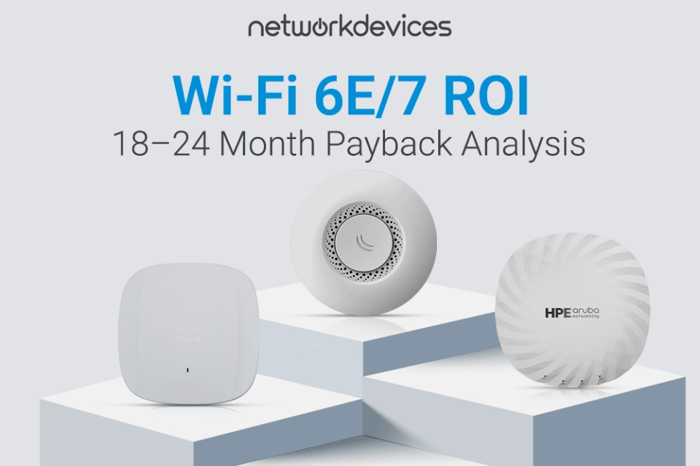

Enterprise upgrades to Wi-Fi 6E (802.11ax in the 6 GHz band) or Wi-Fi 7 (802.11be) can deliver 18–24 month payback through measurable productivity recovery and reduced IT support overhead, but only if the deployment includes the backend network.
The network switch and cabling plant are the engine; the access point is the tire. Wi-Fi 6E/7 access points multiply the capacity of your wired infrastructure; they do not replace it. A Wi-Fi 7 access point on a legacy 1 GbE switch port with Cat5e cabling and 802.3af PoE will perform like a 1 GbE, underpowered AP, regardless of what the spec sheet promises.
The business case for upgrading is straightforward: network congestion and connectivity failures cost more than most organizations measure. According to Unisys-backed research, 49% of employees report losing between 1 and 5 hours of productivity each week due to IT issues, with slow or unreliable connectivity among the top contributors. Research from Nexthink covering over 20 million endpoints shows employees encounter an average of 14 negative digital events per week, and large enterprises can lose hundreds of thousands of working hours annually to digital disruptions.
Wi-Fi 6E and Wi-Fi 7 directly address the wireless component of this productivity drain by expanding the spectrum, reducing contention, and improving latency behavior. Any serious Wi-Fi 7 ROI discussion must therefore include Wi-Fi 7 infrastructure requirements across switching, cabling, and power delivery. This analysis breaks down congestion costs, quantifies productivity recovery, and walks through full TCO math, including the infrastructure investments most buyers overlook.
Executive Summary: Wi-Fi 6E/7 ROI at a Glance
- Typical Payback Period: 18–24 months in wireless-constrained environments
- Productivity Loss from IT Issues: 1–5 hours per employee per week (Unisys, general IT friction, not all wireless)
- Wi-Fi 7 Theoretical Peak Throughput: 46 Gbps (16 spatial streams, 320 MHz, 4096-QAM)
- Wi-Fi 6E Theoretical Peak Throughput: 9.6 Gbps (8 spatial streams, 160 MHz, 1024-QAM)
- Realistic Enterprise Single-Client Rate (Wi-Fi 7): Up to ~5.6 Gbps on 320 MHz channels in ideal conditions (Juniper Networks)
- Infrastructure Prerequisite: Multi-gig switching (2.5/5/10 GbE), Cat6A cabling, and PoE++ (802.3bt) where required
- Minimum PoE for Tri-Radio APs: 25–30W (802.3at) for baseline; high-end models often require 40–45W+ (802.3bt) for full functionality
- Primary Risk: Bottlenecking new APs with legacy 1 GbE backbones and insufficient PoE budgets
Why Slow Wi-Fi Costs More Than You Think
The hidden cost of inadequate wireless infrastructure is not just the occasional frozen video call. It is the cumulative drag on organizational velocity: many small delays compounding into missed deadlines, frustrated employees, and weaker customer experience.
If 100 employees lose 30 minutes daily to connectivity-related issues, that is 50 hours of lost productivity per day. At a fully loaded cost of $75/hour, that equates to $3,750 daily or roughly $937,500 annually. Even if only 20% of that loss is directly attributable to wireless performance rather than applications or WAN, wireless-attributable loss still exceeds $187,000 per year in a 100-person operation.
This calculation ignores opportunity costs: sales opportunities lost because a demo stuttered, candidates turned off by poor connectivity during interviews, and engineering time burned on troubleshooting instead of delivery. In congested legacy wireless environments, support ticket volume for connectivity issues can be significantly higher than in well-designed Wi-Fi 6E/7 deployments, consuming help desk capacity that could support higher-value work.
Aging APs on 2.4/5 GHz, tied to 1 GbE switches and Cat5e cabling, cannot meet the throughput, latency, or client-density demands of current collaboration and SaaS stacks. When users hit this ceiling, they blame "the Wi-Fi," and productivity becomes hostage to legacy design.
The 6 GHz Advantage: Spectrum Economics
The primary ROI driver for Wi-Fi 6E/7 is not just raw speed. It is usable capacity. Legacy 2.4 GHz and 5 GHz bands are heavily occupied. In dense environments such as office parks, multi-tenant buildings, and conference centers, co-channel interference forces devices to wait for airtime, raising latency and lowering effective throughput.
Wi-Fi 6E opens the 6 GHz band, adding up to 1,200 MHz of clean spectrum in regions with full allocation. This more than doubles the combined capacity of 2.4 and 5 GHz. TP-Link's 6 GHz documentation shows that this expansion enables up to seven non-overlapping 160 MHz channels in 6 GHz, whereas 5 GHz typically allows only two such channels under ideal conditions and often cannot use 160 MHz at all due to DFS radar and neighboring networks.
The practical result is that Wi-Fi 6E deployments in high-density environments can achieve significantly higher aggregate throughput than Wi-Fi 6 deployments using identical AP counts, with 2× or more aggregate throughput improvements commonly observed in vendor and field reports when designs fully exploit 6 GHz. By moving high-bandwidth clients, such as laptops, tablets, and video endpoints, to 6 GHz, you reduce contention with legacy IoT and older clients on 2.4/5 GHz.
Infrastructure dependency check: You cannot achieve 6 GHz throughput if the wired backbone is capped at 1 Gbps. A single 6 GHz radio can saturate a 1 GbE uplink under moderate client load. To gain the full benefit, access-layer switches must support multi-gigabit speeds (2.5/5/10 GbE) on AP-facing ports. The complete Wi-Fi 7 infrastructure requirements guide covers multi-gig switch dimensioning and uplink design for your environment.
Wi-Fi 7 Performance: Separating Specifications from Reality
Wi-Fi 7 delivers a theoretical peak throughput of 46 Gbps across 16 spatial streams using 320 MHz channels and 4096-QAM modulation. This figure is technically accurate per IEEE 802.11be, but it is not a planning number.
Enterprise access points do not ship with 16 spatial streams. According to Juniper Networks and other enterprise vendors, 8-stream APs can theoretically reach around 23 Gbps, with real-world single-client throughput in the multi-gigabit range (for example, up to ~5.6 Gbps) when an optimally placed client uses a 320 MHz channel under clean RF conditions. Most real deployments will use 80 MHz or 160 MHz channels to balance capacity and coverage, resulting in client rates typically in the hundreds of megabits to low single-digit gigabits.
This is still a substantial improvement over Wi-Fi 6 in dense environments. Wi-Fi 7's 4096-QAM provides about 20% more data per symbol than Wi-Fi 6E's 1024-QAM in high-SNR conditions, and 320 MHz channels double maximum channel width. These gains only matter, however, when the wired side can absorb the traffic.
Infrastructure dependency check: A 5.6 Gbps client connection funneled through a 1 Gbps switch uplink delivers 1 Gbps of actual throughput. The remaining capacity is lost at the AP-to-switch boundary. Multi-gig switching is not a nice-to-have for Wi-Fi 7. It is a prerequisite. Your infrastructure upgrade requirements should specify switch port speeds and uplink design before AP models.
Multi-Link Operation: Understanding the Latency Claims
Multi-Link Operation (MLO) is the headline feature of Wi-Fi 7. According to Cisco's technical analysis and chipset vendor documentation, MLO allows devices to maintain concurrent links across 2.4, 5, and 6 GHz under a single logical connection.
The much-quoted "1 ms latency" figure refers to band-switching latency under ideal conditions. In previous generations, moving between bands often required reassociation, taking around 100 ms or more. MediaTek's MLO documentation shows that with MLO, band-switching can occur in roughly 1 ms on the radio side.
This is not end-to-end application latency. Round-trip time from the client to the application still depends on the WAN, backend, and application stack. What MLO does is prevent the Wi-Fi segment from becoming the dominant latency spike when interference or congestion occurs.
In practice, MLO provides these enterprise benefits:
- More reliable performance through automatic interference avoidance
- Reduced jitter for real-time applications by distributing traffic across bands
- Aggregate throughput gains when both APs and clients support multi-radio MLO (MLMR)
Most early Wi-Fi 7 clients support single-radio MLO (MLSR), which benefits from fast band-switching but does not aggregate throughput across radios. Full aggregation requires MLMR clients with simultaneous transmit and receive capability, which will initially appear mostly in higher-end laptops and tablets.
Infrastructure dependency check: To realize MLO gains, each participating link must be unconstrained. That means dual or tri-band Wi-Fi 7 APs fed by multi-gig interfaces, clean RF design, and sufficient backhaul capacity. This again ties directly into Wi-Fi 7 infrastructure requirements, not just AP selection.
Wi-Fi 6E vs. Wi-Fi 7 Comparison
| Feature | Wi-Fi 6E Capability | Wi-Fi 7 Capability |
| Spectrum Access | 6 GHz band support with up to 1,200 MHz additional spectrum. | 6 GHz band with 320 MHz channels and improved resource unit allocation. |
| Maximum Theoretical Throughput | 9.6 Gbps (802.11ax, 8 spatial streams, 160 MHz). | 46 Gbps (802.11be, 16 spatial streams, 320 MHz, 4096-QAM). |
| Realistic Enterprise Per-Client Rate | Roughly 1–2 Gbps on 160 MHz channels for close, high-SNR clients. | Roughly 2–5.6 Gbps on 160–320 MHz channels under optimal RF and client conditions. |
| Channel Width | Up to 160 MHz. | Up to 320 MHz in 6 GHz. |
| Modulation | 1024-QAM. | 4096-QAM. |
| Link Operation | Single link (one band at a time). | Multi-Link Operation (simultaneous multi-band). |
| Client Density | Around 150–200 associated clients per AP is achievable in many designs, with 50–100 active concurrently, depending on SLA and environment. | Higher associated and active client counts per AP are possible when MLO, extra spectrum, and better scheduling are combined with appropriate client support. |
| Latency Profile | 10–20 ms typical for local traffic in well-designed environments. | MLO helps keep local wireless latency in low double-digit or single-digit millisecond ranges under good RF and LAN conditions. |
| Security Baseline | WPA3 mandatory; WPA4 not ratified. | WPA3 mandatory; WPA4 not ratified. |
| PoE Requirement (Tri-Radio) | 25–30 W minimum (802.3at/PoE+) for full three-radio operation on many enterprise APs. | 30–45 W+ typical (802.3bt/PoE++ recommended) for high-end tri-radio Wi-Fi 7 APs. |
| Switch Uplink Requirement | 2.5 GbE recommended for full AP throughput; 1 GbE will be a bottleneck in dense deployments. | 5 GbE or 10 GbE recommended for Wi-Fi 7 APs with 320 MHz capabilities. |
The Infrastructure Investment Most Buyers Overlook
Access points attract budget scrutiny, but switches, cabling, and power infrastructure are often treated as fixed constraints. That assumption breaks the ROI model. In many Wi-Fi 6E/7 projects, the wireless network upgrade cost for infrastructure enablement exceeds AP spend.
Multi-Gig Switching: The New Baseline
A Wi-Fi 6E or Wi-Fi 7 AP on a 1 GbE port is, functionally, a 1 GbE AP. The 2.5 GbE uplink ports on entry-level Wi-Fi 6E APs exist because a single 6 GHz radio can saturate 1 GbE under moderate client load. Enterprise Wi-Fi 7 APs increasingly ship with 5 GbE or 10 GbE uplinks to accommodate 320 MHz channels and more spatial streams.
Budget implication: Switch refresh or targeted upgrade to multi-gig on AP-facing ports, plus 10 GbE paths for aggregation. In environments migrating from legacy 1 GbE access, this switching layer commonly becomes the largest single line item.
PoE Power Budgets: Frequent Failure Point
- 802.3af (PoE): up to 15.4W at the PSE
- 802.3at (PoE+): up to 30W at the PSE
- 802.3bt (PoE++): up to 60W (Type 3) or 90W (Type 4) at the PSE
Enterprise Wi-Fi 6E APs often require 25–30W to operate all radios at full capability, exceeding 802.3af limits.
A 48-port switch with a 370W PoE budget can only deliver 30W to around 12 ports simultaneously, not 48. Deploy 24 tri-radio APs requiring 25W each and you already need 600W of PoE capacity before cameras, phones, or access control, plus headroom.
Common failure modes: Switches refusing to power APs, APs negotiating lower power and disabling radios or chains (for example, dropping from 4x4 to 2x2 MIMO), and random AP reboots when demand spikes. Correct PoE planning is therefore a core part of Wi-Fi 7 infrastructure requirements, not an afterthought.
Calculating Total Cost of Ownership (TCO)
A credible Wi-Fi 6E/7 business case demands a structured cost model. Break the wireless network upgrade cost into four categories.
1. Access Points and Licenses
AP hardware: Enterprise Wi-Fi 6E APs typically range from $700 to $1,500 per unit, depending on radio configuration and vendor. Wi-Fi 7 APs currently command a 20–40% premium over comparable Wi-Fi 6E models as the market matures.
Licensing: Add controller or cloud subscription costs over the expected lifecycle, often five years.
In many projects, the AP plus license stack is less than half of the total TCO once infrastructure and services are included.
2. Switching, PoE, and Uplinks
Access switching: Budget for 2.5/5/10 GbE PoE+ or PoE++ ports on AP-facing switches. Expect $200–$800+ per port, depending on vendor and capabilities. This category can represent a substantial share of the project cost.
Aggregation: Ensure sufficient 10 GbE or higher uplinks between IDFs and the core.
Power supplies: Verify whether the existing switch chassis can support the PoE loads required (802.3bt across multiple ports).
3. Cabling, Power, and Cooling
Cabling: Expect $150–$300+ per Cat6A drop including labor, trays, termination, and labeling in many enterprise markets.
Power and HVAC: Higher switch densities and PoE loads increase power draw and thermal output. Projects may trigger new UPS capacity, power feeds, and improved cooling in wiring closets.
4. Design, Survey, and Implementation Labor
RF design and surveys: Budget $2,000–$10,000+, depending on facility size and complexity, for predictive and validation surveys.
Implementation: Mounting APs, configuring switches, VLANs, security, and QoS all require engineering time.
Monitoring and tooling: Many organizations adopt or expand WLAN management and monitoring platforms as part of the project.
Design and implementation can match or exceed hardware spend in complex or regulated environments. These costs must be present in the TCO model from the beginning, not added late as surprises.
When Wi-Fi 6E Makes More Sense Than Wi-Fi 7
Wi-Fi 7 is not always the right immediate step. In many environments, a Wi-Fi 6E-first strategy yields better ROI.
Client device readiness is low. As of late 2025, Wi-Fi 7 client penetration is mainly limited to newer high-end laptops, smartphones, and select tablets. If your fleet is primarily 2–3-year-old devices without Wi-Fi 7 support, they cannot use many Wi-Fi 7 features.
The budget must focus on infrastructure. Wi-Fi 6E APs at mature pricing deliver strong performance per dollar. You may get more ROI by investing in multi-gig switches and Cat6A cabling than by paying a premium for Wi-Fi 7 APs that clients cannot fully exploit.
Regulatory conditions vary. 6 GHz rules for 320 MHz channels differ by region and are evolving. Wi-Fi 6E's 160 MHz channel support is more predictable across jurisdictions.
Existing Wi-Fi 6E is recent. If you deployed Wi-Fi 6E in the last 18–24 months, the incremental productivity gain from moving to Wi-Fi 7 is likely smaller than the original jump from Wi-Fi 5 to Wi-Fi 6E.
A common pattern is to standardize on Wi-Fi 6E with multi-gig switches and Cat6A now, then introduce Wi-Fi 7 APs in high-density or high-value areas as client ecosystems mature. This spreads the cost of the wireless network upgrade over time while aligning infrastructure with both the current Wi-Fi 6E business case and future Wi-Fi 7.


FAQs
1. What is the real ROI timeline for Wi-Fi 6E or Wi-Fi 7 upgrades?
Most organizations see 18–24 month payback when they account for productivity recovery, reduced IT support costs, and avoided capacity constraints, provided the project includes infrastructure investments such as multi-gig switching, adequate PoE, and appropriate cabling. Deploying Wi-Fi 6E/7 APs on inadequate infrastructure often results in degraded ROI or no measurable improvement because the wired network becomes the bottleneck.
2. Do I need to upgrade switches before deploying Wi-Fi 6E or Wi-Fi 7?
In most cases, yes. Tri-radio Wi-Fi 6E access points can saturate 1 GbE uplinks under typical enterprise loads, and Wi-Fi 7 APs with 320 MHz capabilities can demand 5 or 10 GbE uplinks to avoid backhaul bottlenecks. In addition, tri-radio APs generally require at least 802.3at (PoE+), with many high-end models expecting 802.3bt (PoE++) for full functionality. You should verify both the port speed and the aggregate PoE budget on the current switches before assuming compatibility. Connecting a Wi-Fi 7 AP to a 1 GbE 802.3af port effectively buys capability you cannot use.
3. What is the real-world latency improvement with Multi-Link Operation?
MLO reduces band-switching latency from roughly 100 ms (legacy reassociation) to around 1 ms under ideal radio conditions. This is not a total application RTT; WAN and backend processing still dominate many transactions. What changes is that the Wi-Fi segment is far less likely to become a latency bottleneck during RF disruptions or band changes. For VoIP, video conferencing, and VDI, this translates into smoother calls and more stable interactive performance, which in turn reduces "Wi-Fi is broken" tickets and soft productivity loss.