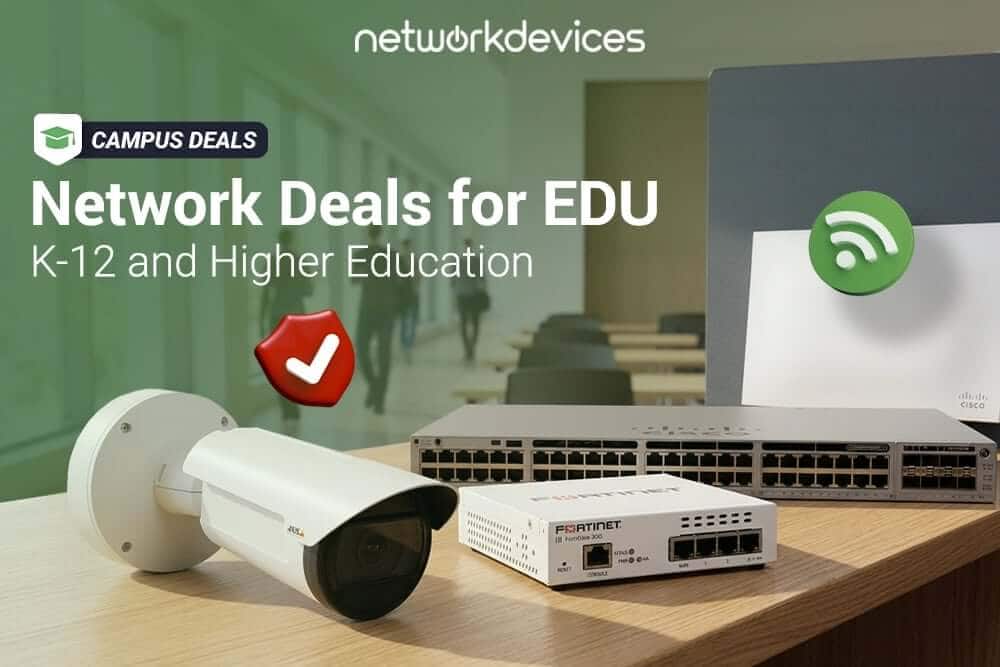

The best way for a school to upgrade before the next semester is to plan around the full campus network, not one device at a time. That means matching your firewalls, PoE switches, wireless access points, cameras, and phones to your school's size, security requirements, and summer installation window.
Campus Deals from Network Devices Inc. is built for that work. Qualifying education buyers get an extra 8% discount on orders of $10,000 or more, flexible Net Terms up to Net 90, and special education pricing across five categories. If you have a fiscal-year budget to spend before July 1, this is the window to lock in pricing and schedule a summer upgrade. You can see the current offer on our Campus Deals page.
Why should schools buy education network equipment before July 1?
Most education IT teams work against two timelines at once: the budget calendar and the academic calendar. Many public school districts and higher education institutions work around June 30 fiscal-year deadlines, which makes year-end the practical time to refresh aging infrastructure before unused funds are reallocated.
The second driver is the summer install window. Summer is when an empty building lets you replace perimeter firewalls, rework an MDF, validate cabling, swap access switches, and re-survey Wi-Fi without disrupting classes or online testing schedules. Order in spring, receive in summer, and you are stable before the high-density demand of fall.
What does the Campus Deals education promotion include?
Campus Deals is designed for education buyers who need reliable network hardware, quote-based pricing, and flexible payment terms before summer upgrade work begins. Qualifying buyers get three things:
- 8% hardware discount on qualifying orders of $10,000 or more.
- Net Terms up to Net 90, so payment can align with your purchase order cycle.
- Special-education pricing for firewalls, switches, wireless access points, surveillance cameras, and IP phones.
The fastest way is to send us your current hardware list, project scope, or preferred categories, and our team will help build a quote based on eligible Campus Deals products.
Firewalls for schools and universities
A school firewall does more than block unauthorized traffic. When properly licensed and configured, it can support CIPA-aligned web filtering, segment student Wi-Fi from administrative systems, terminate VPN connections for staff, and help reduce exposure to malware and ransomware targeting education environments.
Pick the model by throughput and traffic profile, not by brand loyalty. Here is how the lineup maps to school size.
Small schools and single buildings
FortiGate 60F (FG-60F)
Fit: Well-suited for single-building elementary schools, charter schools, small private schools, and branch sites with modest user counts and straightforward segmentation needs.
Deployment: Sits at the edge in an administrative rack as the secure gateway for student and staff traffic. The fanless desktop form factor fits cleanly into a tight wiring closet.
Specs that matter: 10 GE ports including 2 WAN, SOC4 hardware acceleration, up to 10 Gbps firewall throughput, 1 Gbps NGFW and 1.4 Gbps IPS throughput, 700 Mbps threat protection, up to 700,000 concurrent sessions, built-in Secure SD-WAN, and IPsec and SSL VPN with hardware-accelerated SSL inspection.
Budget angle: Lets a small school run content filtering, VPN, and threat inspection from one box instead of buying separate appliances. For the smallest sites, the Fortinet FortiGate 40F (FG-40F) covers the basics.
If your team standardizes on SonicWall, the SonicWall TZ270 and the higher-port SonicWall TZ370 deliver comparable filtering and VPN through the Capture Security Center cloud console.
Mid-size districts and colleges
FortiGate 100F (FG-100F)
Fit: A practical perimeter choice for mid-size districts that need more port density and inspection headroom for hundreds of concurrent users.
Specs that matter: Up to 20 Gbps firewall throughput, 1.6 Gbps NGFW and 1 Gbps threat protection, 2x 10 GE SFP+ FortiLink slots, and dual built-in non-hot-swappable power supplies for redundancy.
Deployment: Rack-mounted at the district edge, often paired with FortiSwitch and FortiAP through FortiLink for unified management.
For a newer option, the Fortinet FortiGate 90G uses Fortinet's latest SP5 processor for strong threat-protection performance in a compact unit, and it is also available as a multi-year FortiGate 90G UTP 5-year bundle when you want one PO covering hardware and subscriptions.
Districts that prefer PAN-OS commonly deploy the Palo Alto PA-440 or Palo Alto PA-450 for App-ID, User-ID, and machine-learning threat prevention. On the SonicWall side, the SonicWall NSa 2700 and SonicWall NSa 3700 add rack-mount throughput for a busy district.
Large districts and university campuses
FortiGate 200F (FG-200F)
Fit: Built for large high school campuses or centralized university data centers managing extensive user populations.
Specs that matter: NP6XLite and CP9 hardware acceleration, up to 27 Gbps firewall throughput and 3 Gbps threat protection, 4x 10 GE SFP+ interfaces, and a dedicated security module for key generation and storage.
The Fortinet FortiGate 600F scales further for high session counts and deep SSL inspection. For Palo Alto environments, the Palo Alto PA-1410 and Palo Alto PA-3410 handle university-grade traffic with full Layer 7 visibility. Browse the full lineup in our firewalls collection.
Which switches are best for school Wi-Fi, cameras, and IP phones?
Campus switching has three jobs: deliver PoE to the edge, aggregate closets, and route at the core. Most school refreshes are access-layer projects, because that is where access points, cameras, and phones draw their power.
Classrooms and small-school closets
Cisco Catalyst C1300-48P-4X
Fit: A practical, budget-aware option for standard K-12 classroom closets that need reliable PoE+ without enterprise software licensing.
Deployment: Installed in an IDF closet to support classroom desktops, wireless endpoints, and VoIP phones.
Specs that matter: 48 Gigabit PoE+ ports and 4 dedicated 10G SFP+ uplinks for backhaul, with VLANs, QoS, and Layer 3-lite routing. The smaller Cisco Catalyst C1300-24T-4X suits non-PoE access.
Standard K-12 and high-density access
Cisco Catalyst C9200L-48P-4G-E
Fit: A practical standard for main K-12 floor closets where 48 powered ports connect smartboards, classroom devices, and access points.
Specs that matter: 48 full PoE+ ports with a 740W default power budget, expandable to 1440W with a second power supply, StackWise-80 stacking, 4x 1G SFP uplinks, and IOS-XE with the Network Essentials feature set. For closets feeding Wi-Fi 6E APs and cameras, the multi-gigabit Cisco Catalyst C9200L-48PXG-4X-E adds 2.5G/5G/10G ports and 10G uplinks.
Cisco Catalyst C9300-48U-E
Fit: A strong choice for modern, high-density university buildings running power-heavy endpoints.
Specs that matter: Universal PoE (UPOE) up to 60W per port, modular uplinks, and high-speed StackWise stacking. That headroom supports PTZ cameras and Wi-Fi 6E APs that exceed standard PoE+ budgets. The Cisco Catalyst C9300-48P-E covers standard PoE+ needs.
Cloud-managed switching for lean IT teams
If your team would rather manage from a browser than from the CLI, the Cisco Meraki MS130-48P is cloud-native: it runs entirely from the Meraki dashboard with no CLI to maintain, with full PoE for access points, cameras, and phones. HPE Aruba shops can get browser-based management too. The HPE Aruba 6200F 48G PoE runs ArubaOS-CX and can be managed from the cloud via Aruba Central, though unlike Meraki, it also retains a full CLI if you want it. Both use subscription-based cloud management.
Core and aggregation
For the campus core, the Cisco Catalyst C9500-48Y4C-A provides 25G access and 100G uplinks for aggregation, while the multi-gigabit Cisco Catalyst C9300X-48HX-E suits high-density buildings that need 10G to the closet. See more in the switches collection.
What access points should schools buy for Wi-Fi upgrades?
Classroom client density is the primary design driver for modern school Wi-Fi upgrades. Thirty student devices plus a teacher device and a smartboard in one room means you size for clients per access point, not square footage. Wi-Fi 6 covers most rooms, and Wi-Fi 6E adds clean 6 GHz spectrum for dense lecture halls and 1:1 device programs.
Cisco Catalyst 9120AXI-B
Fit: A practical Wi-Fi 6 access point for K-12 classrooms, lecture halls, and administrative spaces where most client devices still rely on the 2.4 GHz and 5 GHz bands.
Deployment: Ceiling-mounted in classrooms, libraries, offices, and shared learning spaces based on a proper RF design, not simply spaced down hallways.
Specs that matter: Wi-Fi 6 (802.11ax) with 4x4 MU-MIMO and OFDMA, a dedicated Cisco RF ASIC for real-time spectrum analysis, dual-radio architecture, and CleanAir to mitigate interference.
To move to Wi-Fi 6E, the Cisco Catalyst CW9166I adds the 6 GHz band for dense environments. Cloud-managed campuses pair Meraki switches with the Wi-Fi 6 Meraki MR46 or the Wi-Fi 6E Meraki MR57.
What surveillance cameras make sense for school and campus safety?
Campus safety teams want clear identification, dependable low-light performance, and resilient storage. AXIS gives you a consistent platform across indoor, outdoor, and panoramic needs, with ONVIF support so the cameras work with your existing VMS.
AXIS P3268-LVE (02332-001)
Fit: A strong choice for primary entrances, loading docks, and exterior high-risk zones.
Specs that matter: 4K (8 MP) at up to 30 fps, Lightfinder 2.0, Forensic WDR, and OptimizedIR for low light, built on the ARTPEC-8 SoC with a deep learning processing unit and AXIS Object Analytics for human and vehicle classification, in an IK10/IP66 outdoor housing. The deep learning analytics help improve detail and event accuracy at entrances and exterior areas. Note that Axis has replaced the P3268-LVE with the AXIS P3278-LVE and AXIS P3288-LVE; see those datasheets for the current-generation specifications.
For everyday indoor coverage in hallways and offices, the compact AXIS M3085-V dome is cost-effective, and the AXIS P3265-LV dome adds Lightfinder performance for entryways. For long perimeters, the AXIS P1475-LE bullet covers fixed long-range scenes.
The AXIS P3735-PLE is well-suited for wide building corners, main hallways, and quad intersections, with four 2 MP sensors covering multiple directions from a single network drop. For active monitoring across parking lots, bus loops, and athletic fields, the AXIS Q6325-LE PTZ offers 31x optical zoom. For small-site edge recording, the AXIS S3008 Mk II 4 TB recorder stores footage locally, and an AXIS 128 GB surveillance microSD card adds on-camera failover. Browse the surveillance cameras collection.
Which IP phones should schools include in a campus refresh?
Reliable voice still matters for front offices, classroom lines, and emergency paging integrated with E911. Cisco's 9800 series desk phones run multiplatform firmware, so they register with most modern cloud-hosted or on-premise call platforms.
Cisco Desk Phone 9841
Fit: A clean communication standard for principal suites, staff rooms, and classrooms.
Specs that matter: A color display, wideband audio, programmable line keys, and PoE support for a single voice-and-data drop. The Cisco Desk Phone 9851 adds video for administrators.
Secure your campus infrastructure pricing
If you have fiscal-year funds to use before July 1, this is the window to refresh before the busy fall semester. Send us your hardware list, project scope, or preferred product categories, and our team will help build a quote around eligible Campus Deals products with your 8% discount and Net 90 terms. You can also review our latest technical guides on the Network Devices blog or start on the Campus Deals page.


FAQs
1. Who qualifies for Campus Deals pricing?
Educational institutions, including public and private K-12 districts, charter schools, community colleges, and universities. Anyone purchasing on behalf of an educational body is eligible.
2. What is the minimum order for the 8% discount?
The 8% campaign discount applies to qualifying orders of $10,000 or more.
3. Can our district use Net 90 payment terms?
Yes. Verified education buyers can request flexible Net Terms up to Net 90 to align payment with your purchase order and funding cycles.
4. Can your team help design our summer network refresh?
Yes. Send us your existing equipment list, total user counts, and building list, and our engineers will help design a right-sized firewall, switching, Wi-Fi, camera, and phone build for a smooth summer installation.