
It’s frustrating, isn't it? You trust a file-sharing service, and then they quietly change their user agreements. Suddenly, files you shared in good faith are being used to train their AI models. It feels like your data is being stolen. That’s where MikroTik flips the script.
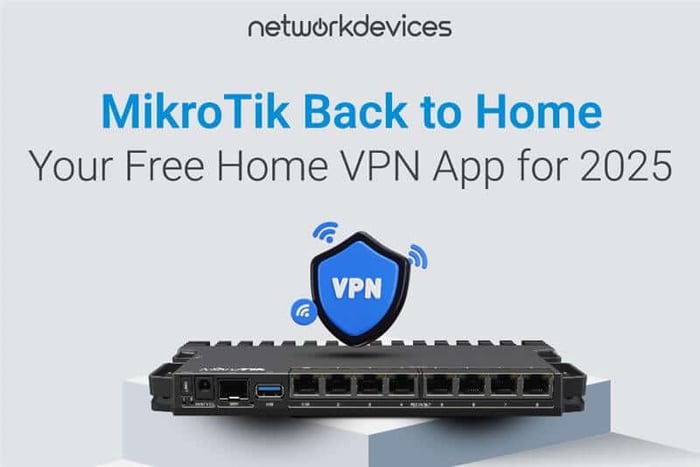
The MikroTik Back to Home app is the answer to this problem, offering a solution that respects your privacy by using the hardware you already own. It’s more than just a VPN; it provides quick and easy file sharing, a way to bypass content region locks, and a crucial safety layer for browsing.
We’ll explain how it works, why it’s safer on public Wi-Fi, how to access files and media on the go, and how to get started in minutes.
What is MikroTik Back to Home? (Definition & Quick Start)
MikroTik Back to Home is a free VPN app that connects your phone or computer to your home router over a secure WireGuard® tunnel. It’s designed to give you secure access to your home network and internet connection from anywhere.
Getting started is straightforward. Here’s a quick checklist:
- Install the app, which is available for both Android and iPhone.
- Perform the initial setup while you are connected to your home network.
- Requires a compatible MikroTik router with an ARM or ARM64 CPU.
- Works behind a NAT or firewall, so you don't need a public IP address.
- Your connection is always end-to-end encrypted (E2EE) for maximum security.
How Back to Home Delivers a Truly Secure VPN
The app’s security comes from its architecture, which is fundamentally different from commercial VPN services. It puts you in control, not a third-party corporation.
Private VPN vs. Cloud VPN: No Clouds, No Middlemen
Unlike many commercial VPNs that require you to trust a company and route your data through their third-party servers, Back to Home creates a direct link to your own router. There are "no clouds and no middlemen,” just a secure tunnel to a device you manage.
VPN Without Public IP: Secure Traversal for Any Network
One of the app's cleverest features is that it works even if your router doesn't have a public IP address or is behind a firewall. If a direct connection isn't possible, the app uses a MikroTik relay service to help your phone and router find each other.
Crucially, this relay service cannot decrypt your connection or see your traffic. The tunnel remains end-to-end encrypted from your device directly to your home router, ensuring your data is never exposed.
How to Use MikroTik Back to Home: 5 Practical Scenarios
Beyond the technical details, the app solves real-world problems. Here are five situations where it proves invaluable.
1. Access Files Remotely and Avoid Work Emergencies
Imagine you’re on vacation and realize you forgot to submit an important report. The files are on your home computer, but you only have your phone. With the Back to Home app, you can securely connect to your home network, access local network drives, and grab the files you need. You can also manage and share files or entire folders with a secure link.
2. Bypass Region Locks for Streaming Abroad
You're at a layover airport, trying to continue your favorite show on a streaming platform, but it’s not available in that country. The Back to Home app lets you "virtually go back home," routing your connection through your home router so you can resume the episode that works there.
3. Browse Safely on Untrusted Hotel or Airport Wi-Fi
Public Wi-Fi networks are notoriously insecure; you never know who might be monitoring your activity. Instead of paying for a cloud VPN service, Back to Home lets you browse safely through your own trusted home ISP. This protects you from snooping on untrusted networks, like dodgy hotel Wi-Fi.
4. Provide Remote Tech Support for Friends & Family
We’ve all been there: you visit family, and suddenly you’re tasked with fixing their Wi-Fi. Instead of spending your visit troubleshooting, you can use the Back to Home app to establish a secure connection to their router.
Later, when you're back home, you can log in remotely via the secure VPN to finish the job. You can even share a connection with time-limited access and block access to your local network.
5. Enjoy Ad-Free Mobile Browsing with PiHole, Anywhere
If you run a network-level adblocker like PiHole at home, the Back to Home app extends its benefits to your mobile device. Just connect back to home, and you'll get an ad-free browsing experience on your phone without needing to install any additional adblock apps.
FAQs
1. Is the MikroTik Back to Home app really free?
Yes, the app and the service are "Completely free".
2. What routers are compatible?
The app requires a MikroTik router with an "ARM" or "ARM64" CPU.
3. How do I set it up?
For the initial setup, you need to be on your home network. Just install the Back to Home app for Android or iPhone and use it to connect to your compatible MikroTik router.
4. Is the Back to Home app safe to use on public Wi-Fi?
Yes. It uses a modern and secure WireGuard® encrypted VPN tunnel from your smartphone to your home router. This routes all your traffic securely through your own ISP, protecting you from untrusted public networks.
Take Back Control of Your Data
In a world where corporations are constantly finding new ways to monetize your data, the MikroTik Back to Home app offers a refreshing alternative. It provides the privacy of a personal VPN, the convenience of secure file sharing, and the peace of mind that comes from using your own trusted hardware—all for free. This is how you take your data and your control back home.
Ready to build your own secure, private VPN? To get started, you’ll need a compatible ARM-based MikroTik router. Explore our full selection of powerful MikroTik hardware at Network Devices Inc. We recommend checking out the powerful RB5009 or other compatible ARM/ARM64 routers.