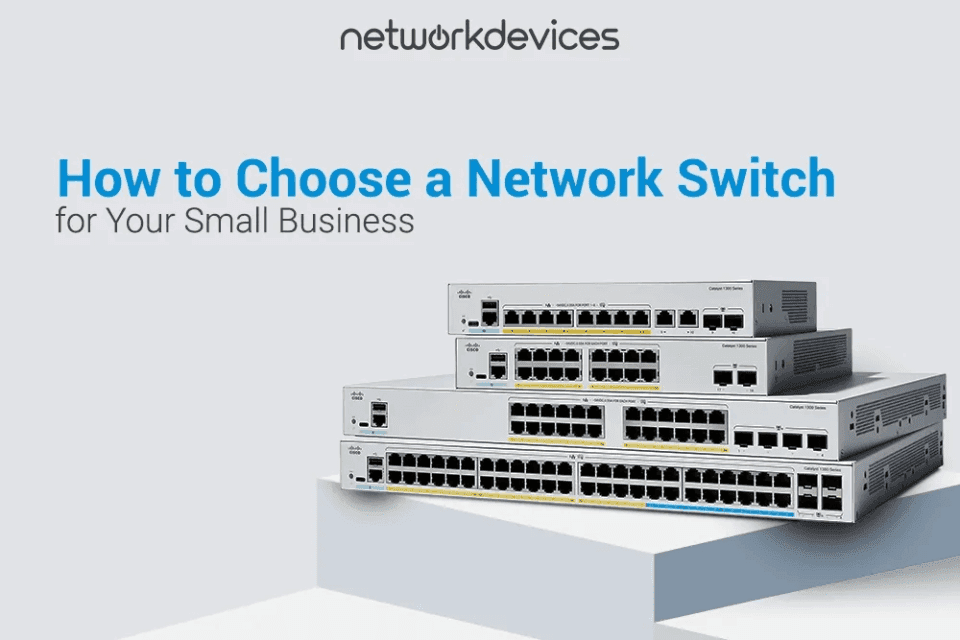

To choose a network switch for a small business, audit your active ports. Add a 30 percent growth buffer. Calculate a PoE power budget using actual device wattages. Select a managed switch to handle VLANs and QoS. Evaluate your need for Layer 3 routing. Finally, confirm your physical deployment requirements. These five steps give SMB IT managers a defensible spec sheet for any purchase request.
A wrong switch choice costs both time and capital. Specifying an unmanaged switch for an office with VoIP phones means you cannot prioritize voice traffic. Dropped calls and network downtime will force a hardware replacement within months. Overbuying a massive Layer 3 switch for ten users wastes your IT budget. The difference between the right switch and the wrong one often comes down to five decisions made before the purchase order is signed. Most SMB network problems are not caused by bad hardware. They are caused by hardware that was never matched to the network's actual requirements. The goal is to match the hardware to the network, not guess and adjust later.
This guide covers five steps: running a port audit, calculating a PoE budget, comparing switch types, evaluating Layer 3 routing, and verifying physical deployment factors. Each step includes formulas, decision frameworks, or real-world examples you can use directly in a purchase justification.
Step 1: How Many Switch Ports Does a Small Business Need?
A small business needs enough switch ports to connect all current wired endpoints, plus a 30 percent surplus for future growth. Count every physical connection to establish your baseline requirement. You must include workstations, phones, access points, cameras, IoT sensors, and infrastructure uplinks in this total.
Start with a physical walkthrough. Do not guess. Log into your current switch interface or count cables at the patch panel. Record every endpoint and infrastructure device, drawing network connectivity from the switch.
A common field mistake is forgetting infrastructure connections. If you connect two switches together with a Gigabit uplink, you consume one port on each switch. If you use a two-port LACP bundle for redundancy, you consume two ports on each switch.
Use this port audit example for a 25-person office:
- 20 docked desktops require 20 ports.
- 20 VoIP phones require 20 ports.
- 4 Wi-Fi access points require 4 ports.
- 6 IP cameras require 6 ports.
- 3 network printers require 3 ports.
- 2 NAS units require 2 ports.
- 2 firewall uplinks require 2 ports.
- Total active baseline equals 57 ports.
Add a 25% growth buffer to reach the 72 required ports. In this example, you need a 48-port switch plus a second 24-port switch. Alternatively, you can stack two 48-port switches together. A single 48-port switch will not work on day one.
Note your VoIP phone specifications. Many VoIP models include a built-in passthrough switch. This feature lets you daisy-chain a desktop computer through the phone. One switch port serves both the phone and the PC behind it. Confirm your phone model supports passthrough before reducing your port count.
Evaluate the cost per port. A single 48-port switch from HPE Aruba or Cisco often costs less per port than two 24-port switches. A single switch is also simpler to manage.
Step 2: What PoE Budget Does a Small Business Switch Need?
A PoE power budget is the maximum total wattage a switch delivers across all ports simultaneously. Calculate this budget by summing the maximum power draw of all connected devices. Always add 20 percent headroom to account for boot-up power spikes.
Do not confuse the total PoE budget with the per-port maximum. A switch advertised as PoE+ might deliver up to 30W per port. However, it may only have a 370W total budget. If you connect 24 devices, each drawing 20W, you need 480W. Some devices will simply fail to power up.
Match your devices to the correct PoE standard.
- PoE (IEEE 802.3af) delivers up to 15.4W at the port and 12.95W at the device. This powers basic sensors.
- PoE+ (IEEE 802.3at) delivers up to 30W at the port and 25.5W at the device. This covers Wi-Fi 6 APs and fixed cameras.
- PoE++ Type 3 (IEEE 802.3bt) delivers up to 60W at the port and 51W at the device. This covers Wi-Fi 6E/7 APs and PTZ cameras.
- PoE++ Type 4 (IEEE 802.3bt) delivers up to 90W at the port and 71.3W at the device. This powers LED lighting panels.
Use real-world wattage ranges for your calculations. Basic Class 2 VoIP phones draw 4 to 7 watts. Advanced Class 3 VoIP phones with color screens draw 7 to 13 watts. Wi-Fi 6 APs with a single 2x2 radio draw 10-13 watts. Wi-Fi 6 APs with 4x4:4 dual radios draw 18 to 25.5 watts.
As of 2026, flagship Wi-Fi 6E and Wi-Fi 7 access points draw 25 to 40 watts. These high-density access points require 802.3bt PoE++ power. Fixed IP cameras without heaters, like standard Axis Communications models, draw 8 to 15 watts. Outdoor PTZ cameras draw 20 to 30 watts.
Use this PoE power budget calculator framework for a 30-person office:
- 30 VoIP phones (Class 3) drawing 10W each equals 300W.
- 5 Wi-Fi 6 APs (4x4:4) drawing 22W each equals 110W.
- 8 fixed IP cameras drawing 13W each equals 104W.
- Total expected power draw equals 514W.
Add 20 percent headroom for boot-up spikes. This brings the required budget to approximately 617W. A single 48-port PoE+ switch with a 740W budget covers this deployment perfectly. A 370W switch will cause lower-priority ports to lose power.
Step 3: Should a Small Business Use a Managed vs Unmanaged Switch?
A managed switch provides configuration interfaces for VLAN segmentation, traffic prioritization, and remote monitoring. An unmanaged switch lacks configuration options and only operates as a basic pass-through device. SMBs running VoIP, SaaS applications, or guest Wi-Fi must deploy managed switches to ensure network stability and cybersecurity.
Unmanaged switches are strictly plug-and-play. They have no VLAN functionality. They lack Quality of Service (QoS) for prioritizing real-time voice and video traffic. You cannot monitor them via SNMP. They lack the spanning tree protocol (STP). They offer no access control, no port security, and no protection against cyber threats. They cost between 50 and 150 dollars for a 24-port Gigabit model. They are only acceptable for temporary lab networks or simple desk expansions.
Smart-managed switches offer a web GUI for basic configuration. They support simple VLANs and limited port-based QoS. They offer SNMP v1/v2c monitoring and basic STP/RSTP. They lack command-line interfaces and SSH-based remote access. They cost between 150 and 400 dollars for a 24-port Gigabit model.
Fully managed switches from brands like Fortinet or MikroTik provide complete administrative control. They support advanced VLAN configuration for network security and traffic isolation. They execute full QoS with DSCP marking, queuing, and rate limiting to prioritize bandwidth for business-critical apps and real-time communications. They include SNMP v3 for secure network monitoring. They offer 802.1X port-based authentication, MAC-based access control lists, and automated VLAN assignment for new endpoints. Managed service providers (MSPs) rely on these features to manage client networks on a scale. They cost between 400 and 1,500 dollars for a 24-port Gigabit model.
You must deploy a managed switch for core operations. If you segment guest Wi-Fi from corporate data, you need VLANs. If you run VoIP phones, you need QoS to prevent dropped calls. If you integrate with monitoring platforms like PRTG or Zabbix, you need SNMP.
Network segmentation through VLANs also strengthens your cybersecurity posture. Isolating security cameras, IoT devices, and guest traffic onto separate VLANs limits the blast radius if any single endpoint is compromised. This segmentation complements endpoint antivirus and firewall rules as part of a layered network security strategy.
A common regret is deploying unmanaged switches to save 300 dollars. The IT manager replaces them 18 months later when VoIP quality drops, and there is no way to diagnose or fix the problem without SNMP visibility. Buying twice always exceeds the cost of buying a managed switch once.
Step 4: Does Your Small Business Need a Layer 3 Switch?
A Layer 3 switch routes traffic between different VLANs directly at the hardware level. You need a Layer 3 switch if inter-VLAN traffic creates a bottleneck at your firewall. A Layer 2 switch requires an external router to move data between VLANs.
A Layer 2 switch only forwards frames within a single VLAN. If a device on VLAN 10 sends data to VLAN 20, the traffic flows up the uplink to the firewall. The firewall routes it. The traffic flows back down to the switch. This round trip adds latency and consumes firewall CPU cycles. In SMB environments with heavy SaaS usage and VoIP, this bottleneck causes noticeable performance degradation.
A Layer 3 switch reads IP addresses. It routes packets directly between VLAN 10 and VLAN 20 at wire speed. East-west internal traffic never touches the firewall. Your firewall then handles only internet-bound traffic, VPN tunnels, and security inspection.
Apply this litmus test to determine your routing needs:
- Do you run three or more active VLANs?
- Do devices on different VLANs transfer large files or access shared services regularly?
- Is your firewall CPU utilization consistently high?
- Will you add more VLANs in the next three years?
If you answer yes to two or more questions, specify a Layer 3 switch. Layer 3 switches cost 20 to 40 percent more than Layer 2 equivalents. For a 24-port Gigabit model, expect a 150 to 400 dollar premium. This premium prevents the need for a future forklift upgrade.
If you answer yes to only one question, a Layer 2 managed switch is sufficient. Your firewall can handle basic inter-VLAN routing for a small network.
Step 5: What Physical and Deployment Factors Should You Check?
Physical switch specifications dictate how the hardware integrates into your office environment. You must account for rack space, cooling fan acoustics, uplink types, and cabling requirements before purchasing. Ignoring these physical deployment factors leads to overheated equipment, unplanned downtime, and unusable hardware.
Check your rack depth. Standard 1U rackmount switches fit standard 19-inch racks. High-power PoE switches are extremely deep. They will not fit into shallow 12-inch wall-mounted retail cabinets.
Evaluate fan noise. Fanless switches produce zero noise. They are perfect for open conference rooms. However, fanless models top out around 250W of PoE budget. If you need a 740W budget, the switch will have active fans. Place fan-cooled switches in dedicated server closets or data center cabinets.
Determine your uplink requirements. Copper uplinks work fine for a single network closet. Multi-floor or multi-building deployments require fiber SFP or SFP+ uplink ports. As of 2026, 10GbE SFP+ uplinks are standard for new deployments. These high-bandwidth uplinks prevent bottlenecks between access switches and your core infrastructure.
Verify your physical cabling limits. Cat5e cable handles Gigabit Ethernet up to 100 meters. If your runs exceed that distance, you face signal degradation. If you provision 10GbE ports for modern Wi-Fi access points, you must deploy Cat6a cabling.
Decide between stacking and standalone configurations. A stackable switch lets you connect multiple physical switches. You manage them as a single logical unit with a single IP address and a single firmware image. This simplifies configuration and helps automate firmware updates across the stack. Verify the stacking technology. Some vendors use dedicated stacking cables that do not consume data ports. Other vendors use standard Ethernet uplinks for stacking, which reduces your usable port count.
Confirm your power infrastructure. Large PoE switches require significant power. Connect your switch to an uninterruptible power supply (UPS). A power outage will disable your VoIP phones and security cameras without a UPS. If your SMB relies on IP-based phones for daily operations, UPS protection for the switch is not optional.
Why Is VLAN Support Important for Network Security?
VLAN segmentation is one of the most effective network security controls available on a managed switch. VLANs isolate traffic so that a compromised device on one segment cannot reach endpoints on another. For SMBs, this means guest Wi-Fi users cannot access internal file servers. Security cameras operate on a locked-down surveillance VLAN. IoT devices like smart thermostats and badge readers sit in their own segment, separated from business-critical systems.
Without VLANs, all devices share a single broadcast domain. A single vulnerability on any endpoint exposes the entire network. VLAN segmentation reduces the attack surface and limits lateral movement, a core principle of modern cybersecurity and zero-trust network security architecture.


FAQs
1. How many switch ports do I need for a small office?
Count every wired endpoint on your network. Include VoIP phones, access points, cameras, and uplinks. Add a 30 percent capacity buffer for three years of growth. A 25-person office typically requires 48 or more ports.
2. What is the difference between an unmanaged and managed switch?
An unmanaged switch is a simple pass-through device with no administrative interface. A managed switch includes software that allows engineers to configure VLANs, prioritize traffic using QoS, and monitor network health using SNMP. Managed switches also provide network security features like 802.1X authentication and access control lists.
3. How do I calculate a PoE switch budget?
Identify the maximum wattage required by every connected device using manufacturer datasheets. Add those numbers together. Select a switch that provides a total power capacity at least 20 percent higher than your calculated maximum. This headroom prevents device failures during boot-up spikes.
4. When should I choose a Layer 3 to switch over Layer 2?
Choose Layer 3 when you run three or more VLANs and devices communicate across them frequently. Layer 3 switches handle inter-VLAN routing internally at wire speed. This removes your firewall as a network bottleneck and frees firewall resources for security inspection, VPN, and internet-bound traffic.
5. What features should an SMB network switch checklist include?
An SMB network switch checklist should cover five areas: port count with a growth buffer, PoE power budget with real wattage calculations, managed switch functionality including VLANs and QoS, Layer 3 routing evaluation, and physical deployment requirements. The checklist should also account for network security features like 802.1X authentication and VLAN-based traffic isolation to reduce vulnerabilities.