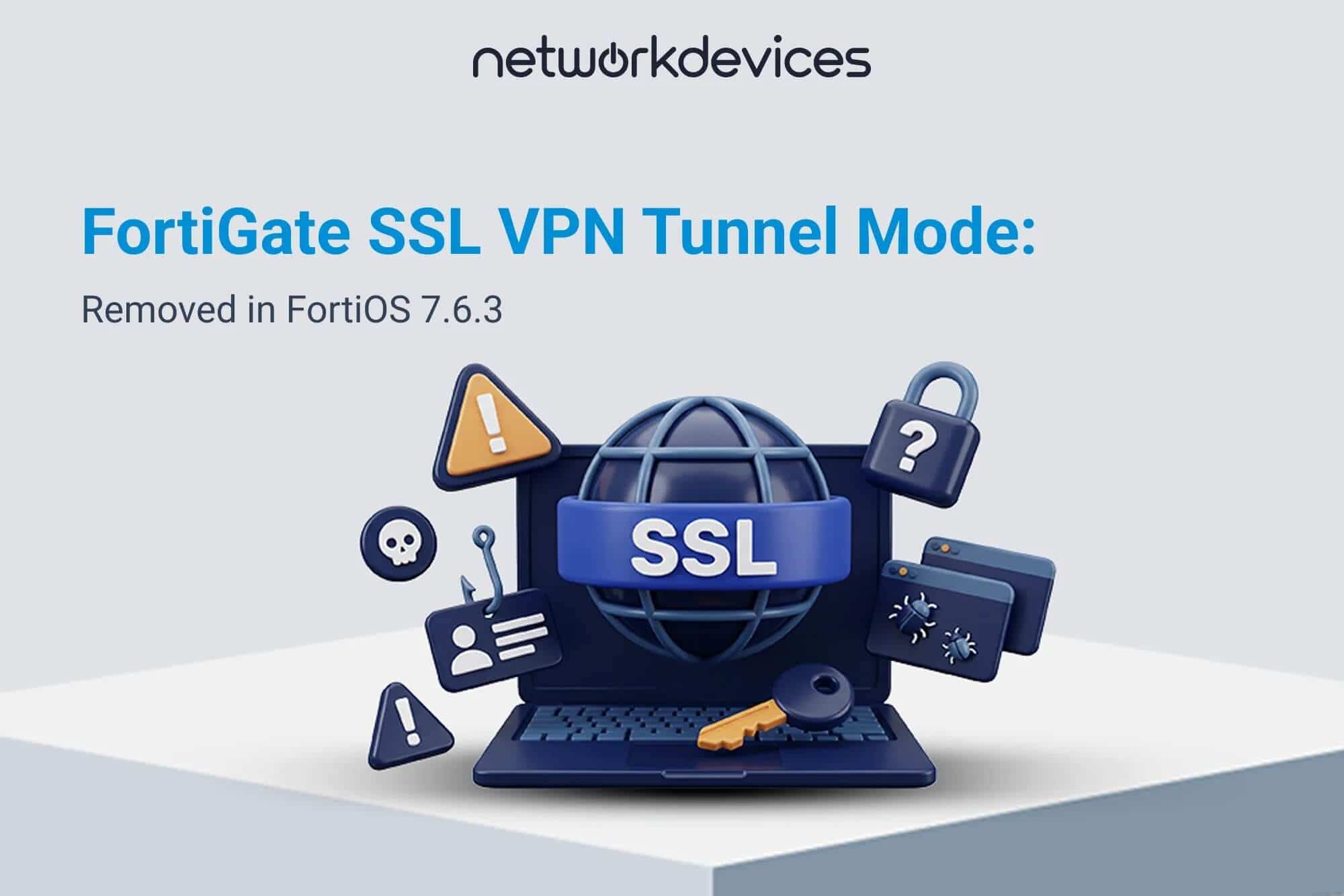

FortiOS 7.6.3 removed SSL VPN tunnel mode from all FortiGate models. Existing tunnel mode settings, including the associated firewall policies, are not carried forward when a FortiGate is upgraded to 7.6.3 or later. If remote users still depend on SSL VPN tunnel mode, migrate remote access to IPsec VPN before installing the upgrade.
This is not the change Fortinet made in FortiOS 7.6.0. That earlier release removed both SSL VPN modes from specific low-memory models. From 7.6.3 onward, tunnel mode is gone across the product line regardless of RAM, while web mode was renamed Agentless VPN and continues on supported models.
The change is still in force in FortiOS 7.6.7 and in FortiOS 8.0. If you are on 7.4.x, 7.6.0, 7.6.1 or 7.6.2 today, every release you can upgrade to at or after 7.6.3 contains it. Build and test the replacement while SSL VPN is still running, because the appliance will no longer have a tunnel mode configuration to work from afterward.
This guide covers the version timeline, which models keep Agentless VPN and how to check yours properly, what does not migrate, IPsec over TCP 443 with a working configuration and its performance cost, where ZTNA and FortiSASE fit instead, FortiClient version requirements, a phased migration with rollback, and when a hardware refresh is genuinely the answer.
Key Takeaways
- FortiOS 7.6.3 removed SSL VPN tunnel mode from all FortiGate models, including FortiGate-VM.
- SSL VPN tunnel mode configuration is not converted or retained during the upgrade to 7.6.3 or later.
- Fortinet's recommended replacement is dial-up IPsec VPN, which supports IKEv2 over TCP port 443.
- SSL VPN web mode was renamed Agentless VPN rather than removed everywhere.
- A separate and growing list of models does not support Agentless VPN at all. On those, Fortinet points browser users to ZTNA access proxy.
- The Agentless VPN exclusion list has expanded in every recent release, so it must be checked against the exact target version.
- FortiOS 8.0.0 has shipped and continues the IPsec and Agentless VPN architecture.
Quick Upgrade Decision Matrix
| Your current state | What happens on 7.6.3 and later | Upgrade blocker | Required action |
|---|---|---|---|
| SSL VPN tunnel mode in production, any model | Tunnel mode disappears and its configuration is not upgraded | Yes | Build, deploy and test IPsec before upgrading |
| Already migrated to IPsec dial-up | IPsec remains the remote access method | No, after validation | Re-test authentication, routes, DNS, policies and client versions |
| Web mode only, on a model that supports Agentless VPN | Web mode becomes Agentless VPN | Usually no | Verify model support against the target release and test the portal |
| Web mode only, on an Agentless VPN excluded model | No browser-based access remains | Yes if browser access is required | Move to IPsec, or to ZTNA access proxy for web applications |
| No SSL VPN in use | Tunnel mode removal does not affect remote users | No | Normal compatibility and upgrade path checks |
| Still on FortiOS 7.4.x with tunnel mode | Tunnel mode still works today, not after 7.6.3 | Yes | Migrate on the current release first, then follow the supported upgrade path |
Do not use RAM to decide whether tunnel mode survives. It does not, on any model. RAM explained the earlier 7.6.0 and 7.6.1 platform restrictions, not this change.
What Actually Changed Across FortiOS 7.6
FortiOS 7.6.0: The 2 GB Change
FortiOS 7.6.0 removed both SSL VPN web and tunnel mode from models with 2 GB of RAM or below. Fortinet's list was FGT-40F/FWF-40F and variants, FGT-60F/FWF-60F, FGT-61F/FWF-61F, and FGR-60F and variants including both the 2 GB and 4 GB versions.
This was a model-specific memory restriction. It was not the later product-wide decision.
FortiOS 7.6.1: The FGR-60F Entry Narrowed
Fortinet changed the FGR-60F entry in the 7.6.1 release notes to cover 2 GB versions only, while 40F, 60F and 61F stayed on the list.
This is one reason published model lists disagree with each other. Copying a 7.6.0 list into an article about 7.6.3 produces the wrong answer.
FortiOS 7.6.3: Tunnel Mode Ends Across the Product Line
Fortinet's note is one sentence: starting in FortiOS 7.6.3, SSL VPN tunnel mode is replaced with IPsec VPN, which can be configured to use TCP port 443. Tunnel mode is unavailable in the GUI and CLI, settings are not upgraded from previous versions, and this applies to all FortiGate models.
The same notice appears in the 7.6.6, 7.6.7 and 8.0.0 documentation. It is not a transitional state.
Is SSL VPN Completely Removed?
No. FortiOS 7.6.3 removed SSL VPN tunnel mode from all FortiGate models, while the former SSL VPN web mode continues under the name Agentless VPN on supported models.
For web mode, 7.6.3 was largely a rename. Supported configurations remain valid and the underlying config vpn ssl settings CLI branch still exists on models that keep the feature.
Avoid writing "SSL VPN removed" without saying which mode you mean. That ambiguity is the single largest source of bad advice on this topic.
Which Models Keep Agentless VPN
Two Fortinet sources describe this and they do not agree in scope. The release note lists model families as a summary. The CLI reference lists individual SKUs and is the more complete answer.
FortiOS 7.6.3 release note list: FGT-40F/FWF-40F and variants, FGT-60F/FWF-60F, FGT-61F/FWF-61F, FGR-60F and variants (2 GB versions only), FGT-90G and FGT-91G.
FortiOS 8.0.0 release note list: the above, plus FGT-50G/FWF-50G and variants, and FGT-70G/FWF-70G and variants.
FortiOS 8.0.0 CLI reference, config vpn ssl settings, not available for: FortiGate 30G, 31G, 40F, 40F 3G4G, 50G, 50G 5G, 50G DSL, 50G SFP, 50G SFP-POE, 51G, 51G 5G, 51G SFP-POE, 60F, 61F, 70G, 70G-POE, 71G, 71G-POE, 90G, 90G Gen2, 91G, 91G Gen2; FortiGateRugged 50G 5G, 60F 3G4G, 60F Gen2, 70G, 70G 5G Dual; FortiWiFi 30G, 31G, 40F, 40F 3G4G, 50G, 50G 5G, 50G DSL, 50G SFP, 51G, 60F, 61F, 70G, 70G-POE, 71G.
The 7.6.6 CLI reference carries nearly the same list, minus the 30G and 31G entries. Three points follow.
There is no clean model-number boundary. The 71G is excluded while the 120G is not, so "anything above the 90G" is not a rule you can apply.
The list grows. It expanded between 7.6.3 and 7.6.6, and again at 8.0.0. Check it for the version you are actually installing, not the version you first read about.
Check the CLI reference, not just the release note. The release note groups by family and understates SKU coverage, particularly for FortiWiFi and rugged variants.
How to Check Your Own Appliance
The authoritative check is whether the command branch exists on your box, on your target firmware:
config vpn ssl settings
If the branch is unavailable, the model does not support Agentless VPN on that release. For the older memory-based restrictions, Fortinet's check is the total RAM value, read from the global context on a multi-VDOM device:
diagnose hardware sysinfo conserve
A value below 2000 MB indicates a 2 GB model. Memory no longer settles the question on its own: the 90G ships with more than 2 GB and is still excluded.
What Does Not Migrate Automatically
This is the main operational risk. Fortinet states that existing SSL VPN tunnel mode configuration, including the associated firewall policies, is not upgraded into FortiOS 7.6.3.
Do not assume any of this is converted for you: the tunnel mode configuration itself, the ssl.root policy design, remote user address assignment, split or full tunnel behaviour, authentication and user group mapping, DNS behaviour, or endpoint VPN profiles.
Fortinet's own migration process treats the FortiGate configuration and the FortiClient endpoint configuration as two separate tasks. Plan for both.
What Happens If You Upgrade First
On 7.6.3 and later, the unsupported tunnel mode configuration is removed rather than converted. This is not a feature sitting disabled, waiting to be re-enabled.
After the upgrade, existing SSL VPN client profiles have no tunnel mode service on the FortiGate to connect to. The exact error the user sees depends on the FortiClient version and profile configuration.
There is no in-place rollback on 7.6.3, because the feature does not exist on that firmware. Recovery means firmware downgrade plus configuration restore.
Why IPsec Over TCP 443 Matters
Traditional IPsec relies on UDP/500 and UDP/4500, which are filtered on hotel Wi-Fi, guest networks, some carrier networks and many customer sites. That was the practical advantage SSL VPN tunnel mode had.
FortiOS supports IKEv2 IPsec over TCP, and the transport can use TCP 443 so IKE and encrypted traffic cross networks that permit HTTPS-like TCP connectivity. This is the closest functional answer to the problem tunnel mode solved.
It is not a universal replacement. Browser-only clientless access belongs to Agentless VPN or ZTNA, not to an IPsec tunnel.
Example IKEv2 Dial-Up Configuration
Adapted from Fortinet's current migration documentation. Replace the interface, address object, user group, proposals, authentication method and secret for your environment.
config vpn ipsec phase1-interface
    edit "remote-access"
        set type dynamic
        set interface "wan1"
        set ike-version 2
        set peertype any
        set net-device disable
        set mode-cfg enable
        set proposal aes128-sha256 aes256-sha256
        set eap enable
        set eap-identity send-request
        set authusrgrp "vpn-user-group"
        set transport tcp
        set assign-ip-from name
        set ipv4-name "REMOTE-CLIENT-ADDRESS-RANGE"
        set psksecret <YOUR-SECRET>
    next
end
The migration-specific settings are IKEv2, dynamic dial-up operation, mode configuration for client addressing, user group authentication, and TCP transport.
config vpn ipsec phase2-interface
    edit "remote-access"
        set phase1name "remote-access"
        set proposal aes128-sha256 aes256-sha256 aes128gcm aes256gcm
    next
end
set transport tcp forces IKE and ESP into TCP. set transport auto prefers UDP and falls back to TCP after auto-transport-threshold seconds, default 15, which is usually the better choice for a mixed user population.
Do not paste this into production unchanged. Authentication design, certificate strategy, crypto policy, split tunnelling, routing, address assignment, VDOMs, firewall policies and EMS configuration all change what is correct for your environment.
If VDOMs are enabled, enter the VDOM that owns the WAN interface and VPN configuration before applying VPN and policy commands. Confirm the correct context for config system settings on your device before changing IKE transport settings, since scope differs between deployments.
The IKE TCP Port, and the Collision Nobody Plans For
Starting with FortiOS 7.6.1, TCP 443 is the default IKE/IPsec TCP port on new deployments. An upgraded appliance can carry an earlier value forward, so read the running configuration rather than assuming:
show full-configuration system settings | grep ike-tcpIf IKE listens on TCP 443 on the same interface that serves the admin GUI over HTTPS, the two collide. Fortinet's documented options are a custom IKE TCP port or moving the management port:
config system global
    set admin-sport 8443
end
Do this before cutover, not while locked out of the GUI of a remote firewall.
MSS Clamping
TCP-encapsulated ESP inside a TCP session is a well-known route to fragmentation and stalled transfers. Fortinet's IPsec-over-TCP guidance suggests clamping on the VPN firewall policy:
config firewall policy
    edit <id>
        set tcp-mss-sender 1360
        set tcp-mss-receiver 1360
    next
end
Treat 1360 as a practical starting value from Fortinet's guidance, not a protocol constant. Validate against the real path MTU. If users report that authentication succeeds but file transfers or RDP sessions hang, check this first.
The Cost of Running IPsec Inside TCP
TCP transport solves a reachability problem and introduces a performance one. When a reliable transport carries another reliable transport, both layers run their own retransmission and congestion control, and on a lossy link the inner and outer timers can compound rather than cooperate. The effect is well known in tunneling generally and is not specific to Fortinet.
On lossy links, TCP encapsulation can produce worse throughput and recovery behavior than UDP-based IPsec, because both the tunneled application and the outer transport may perform their own retransmission and congestion control.
This is one reason to preferset transport auto for a mixed user population rather than forcing TCP everywhere. UDP is attempted first, and TCP is used only when UDP cannot establish, so users on unrestricted networks never pay the cost. Test throughput and application behavior from a genuinely restrictive network before standardizing on TCP-only transport.
Verification
diagnose vpn ike gateway listThe output reports the transport that was actually negotiated, along with the assigned IPv4 address and the EAP user. With set transport auto, seeing transport: UDP is the normal and preferred result when UDP is available, because FortiOS tries UDP first and falls back to TCP only when UDP fails to establish within auto-transport-threshold.
That means an office test tells you nothing about TCP fallback. To validate it, test from a network that actually blocks UDP and confirm the session reports transport: TCP.
FortiClient Version Requirements
| Requirement | Minimum version |
|---|---|
| IKEv2 IPsec over TCP | FortiClient 7.4.1 |
| EAP-TTLS, required for LDAP authentication with IKEv2 | FortiClient and FortiClient EMS 7.4.3 |
| IKEv1 | Not supported by FortiClient 7.4.4 and later |
| SAML authentication with IPsec | FortiClient 7.2.4, confirm scope against your migration guide version |
The third row catches estates mid-migration. If you build the tunnel with the GUI wizard, which has historically defaulted to IKEv1, and your endpoints run FortiClient 7.4.4 or newer, nothing connects and the cause is not obvious. Build with IKEv2.
Do not read general compatibility tables as feature support. The FortiOS 7.6.6 compatibility matrix lists FortiClient 6.0 and later where FortiClient is used only for IPsec VPN, which does not mean those clients support IKEv2 over TCP. Check the versions actually installed on endpoints before cutover.
If your design uses IKEv2 with LDAP authentication, EAP-TTLS is required, and that puts a hard 7.4.3 floor under both FortiClient and EMS.
Full Tunnel and Split Tunnel Need Separate Validation
Do not copy the old SSL VPN policy intent mechanically. For full tunnel, confirm the policy and NAT behaviour for internet-bound client traffic. For split tunnel, confirm the client receives the correct corporate route set and that destination address objects match what users actually need.
Fortinet's migration guide also notes differences in split DNS and DNS suffix handling depending on IKE version. Test name resolution rather than assuming a tunnel that comes up is fully functional.
ZTNA and FortiSASE: The Other Replacement Paths
IPsec dial-up replaces tunnel mode. It does not replace browser-based access, and on the models that lost Agentless VPN there is no SSL-based path left at all. For those appliances Fortinet's guidance is to move browser users to ZTNA access proxy rather than to a VPN.
ZTNA access proxy publishes individual internal web applications through the FortiGate over HTTPS, with per-session posture and identity checks instead of a network-level tunnel. Fortinet's agentless ZTNA web application access is the closest functional equivalent to what SSL VPN web mode provided, and it is the documented recommendation for browser clients on models where Agentless VPN is unavailable.
The trade-off is scope. ZTNA access proxy is application by application, so it fits a defined set of internal web apps and does not cover thick clients, mapped drives or arbitrary internal subnets. Those users belong on IPsec.
FortiSASE moves remote access off the appliance entirely, with users connecting to Fortinet's cloud-delivered service rather than terminating remote access directly on the FortiGate. This changes the licensing and operational model rather than simply replacing the tunnel configuration.
If your users needUseFull network access, thick clients, mapped drivesIPsec dial-up VPNBrowser access to specific internal web applicationsZTNA access proxy, or Agentless VPN if the model supports itRemote access delivered as a service, off the applianceFortiSASE
Do not pick one for the whole estate by default. Most organisations coming off SSL VPN tunnel mode need IPsec for the majority of users and one of the other two for a small browser-only group.
ZTNA and FortiSASE: The Other Replacement Paths
IPsec dial-up replaces tunnel mode. It does not replace browser-based access, and on the models that lost Agentless VPN there is no SSL-based path left at all. For those appliances Fortinet's guidance is to move browser users to ZTNA access proxy rather than to a VPN.
ZTNA access proxy publishes individual internal web applications through the FortiGate over HTTPS, with per-session posture and identity checks instead of a network-level tunnel. Fortinet's agentless ZTNA web application access is the closest functional equivalent to what SSL VPN web mode provided, and it is the documented recommendation for browser clients on models where Agentless VPN is unavailable.
The trade-off is scope. ZTNA access proxy is application by application, so it fits a defined set of internal web apps and does not cover thick clients, mapped drives or arbitrary internal subnets. Those users belong on IPsec.
FortiSASE moves remote access off the appliance entirely, with users connecting to Fortinet's cloud-delivered service rather than terminating remote access directly on the FortiGate. This changes the licensing and operational model rather than simply replacing the tunnel configuration.
| If your users need | Use |
|---|---|
| Full network access, thick clients, mapped drives | IPsec dial-up VPN |
| Browser access to specific internal web applications | ZTNA access proxy, or Agentless VPN if the model supports it |
| Remote access delivered as a service, off the appliance | FortiSASE |
Do not pick one for the whole estate by default. Most organizations coming off SSL VPN tunnel mode need IPsec for the majority of users and one of the other two for a small browser-only group.
SSL VPN Tunnel Mode, IPsec and Agentless VPN Compared
| Capability | SSL VPN tunnel mode | IPsec remote access | Agentless VPN |
|---|---|---|---|
| Status in 7.6.3 and later | Removed on all models | Supported replacement | Supported on eligible models |
| Client required | FortiClient | FortiClient or compatible IPsec client | None, browser based |
| Full network tunnel | Yes | Yes | No |
| Split tunnelling | Yes | Yes | Not equivalent |
| Browser-only access | No | No | Yes |
| TCP 443 option | Yes | Yes, with IKEv2 and TCP transport | HTTPS based |
| Existing config survives 7.6.3 upgrade | No | Not applicable | Yes, on supported models |
| Fortinet positioning | Withdrawn | Recommended for remote access throughput and reliability | Limited application support, higher FortiGate resource use |
Avoid universal claims such as "IPsec always uses less CPU." Actual offload and load depend on the model, cipher suite, traffic mix and whether a given session is eligible for hardware acceleration.
Migration Sequence
Fortinet's recommended order, and the one that keeps the firmware upgrade from becoming the cutover event:
- Back up the FortiGate configuration and verify the backup is readable.
- Inventory the current SSL VPN tunnel design.
- Convert the FortiGate remote access configuration to IPsec, on the current firmware.
- Create or migrate the matching FortiClient IPsec profile.
- Run IPsec alongside SSL VPN throughout the transition.
- Test the IPsec path with real users on real networks.
- Upgrade FortiOS only once IPsec is working.
- Revalidate IPsec after the firmware change.
- Remove the obsolete SSL VPN profile from managed endpoints.
At scale, use FortiClient EMS to push the IPsec profile. Manual client configuration remains possible and increases configuration drift and support load. FortiConverter can perform the FortiGate-side conversion if you would rather not hand-build it.
Migrate users in waves by department or site rather than all at once, and leave SSL VPN operational until the last wave is confirmed. It is your rollback, and it stops existing the moment you upgrade.
Pre-Upgrade Inventory
Capture, at minimum: VPN portals and user groups, authentication method, SAML or MFA dependencies, client address pools, split or full tunnel configuration, protected internal networks, DNS servers and split-DNS behaviour, firewall policies using ssl.root, certificates, FortiClient versions, EMS profiles, auto-connect and keep-alive requirements, and any browser-only portal requirement.
Pay particular attention to service accounts, backup jobs and monitoring systems that dial in through SSL VPN. Those are the connections nobody remembers until they stop.
An IPsec tunnel can authenticate successfully while still delivering the wrong routes, DNS behaviour or access policy. The inventory is what you validate against.
Go/No-Go Checklist
Do not install 7.6.3 or later until the new IPsec service passes a controlled test:
- FortiClient establishes the IKEv2 tunnel.
- User authentication and MFA work.
- The client receives the intended IP address.
- Internal DNS resolves correctly.
- Required internal networks are reachable.
- Unintended networks are not reachable.
- Split or full tunnel behaviour matches policy.
- Internet access works correctly for full tunnel users.
- TCP transport works from a genuinely restrictive network if your design depends on it.
diagnose vpn ike gateway listreports the expected transport.- EMS-managed clients have received the IPsec profile.
- The VPN reconnects after disconnect, sleep and restart.
- FortiGate logs show normal IKE and IPsec negotiation.
- A verified configuration backup exists.
- The supported firmware upgrade path has been checked.
A green tunnel icon is not enough.
Rollback Plan
Export a verified configuration backup and record the current firmware build before you start:
execute backup full-config tftp <filename> <tftp-server>Keep copies of both the working SSL VPN and the new IPsec client profiles, and confirm console or out-of-band access before firmware work that could affect remote administrators.
If IPsec validation fails before the upgrade, leave SSL VPN running and fix IPsec. There is no reason to force the firmware change while testing is failing.
If a post-upgrade problem requires firmware rollback, use Fortinet's documented downgrade procedure with the backup matching the previous firmware. Downgrading results in configuration loss on all models with only a limited set of settings preserved, so treat rollback as a restore event, not as reverting one VPN object.
Four Common Scenarios
Still on 7.4.x with tunnel mode. Do not treat 7.6.3 as a routine firmware upgrade. Build IPsec while SSL VPN still works, deploy the matching client profile, validate real users, then follow the supported upgrade path. Fortinet publishes a 7.4-specific migration guide for exactly this.
On 7.6.0 to 7.6.2 with a larger FortiGate. More than 2 GB of RAM does not protect tunnel mode once you cross into 7.6.3. RAM only explains why the device kept SSL VPN through 7.6.2.
Web mode only. Your requirement maps to Agentless VPN or ZTNA, not to an IPsec migration. Check your exact SKU against the CLI reference for the target release. If it supports Agentless VPN, the rename alone does not force a hardware change.
Both network-level and browser access. Treat them as two services. IPsec for network access, Agentless VPN or ZTNA access proxy for browsers. Do not expect IPsec to recreate clientless access.
Do You Need New Hardware?
Not because of the tunnel mode removal. Buying a newer FortiGate does not restore SSL VPN tunnel mode, because the removal applies across the product line including the replacement appliance.
A refresh makes sense when there is a second reason: the current model is on the Agentless VPN exclusion list and browser-only access is a genuine requirement, the appliance is near a lifecycle deadline, VPN concurrency or throughput exceeds the platform, or the model is affected by separate FortiOS memory restrictions.
If Agentless VPN is a hard requirement, select a model that explicitly supports config vpn ssl settings on your target FortiOS release. Do not infer support from RAM or model-number hierarchy, since the 71G is excluded while the 120G is not. As verified on 8 September 2026 against the FortiOS 8.0.0 CLI reference, the FortiGate 120G and 121G are not on the exclusion list.
If your users were on FortiClient anyway, this is a configuration project and your existing appliance is very likely fine.
What About FortiOS 8.0?
FortiOS 8.0.0 has shipped and its documentation continues to treat IPsec and Agentless VPN as the remote access technologies. Tunnel mode does not return.
The Agentless VPN exclusion list in the 8.0.0 CLI reference is longer than in 7.6.6, adding the 30G and 31G families among others. Check the release notes and the Upgrade Path Tool for your exact hardware and starting firmware before moving to 8.0.
Was SSL VPN Removed Because of CVE-2023-27997?
Fortinet has not publicly attributed the 7.6.3 tunnel mode removal to CVE-2023-27997 or to any other single vulnerability. Its migration documentation directs customers toward standards-based IPsec remote access without stating a cause.
For context, CVE-2023-27997 was a heap-based buffer overflow (CWE-122) in the FortiOS and FortiProxy SSL VPN, published by Fortinet on 12 June 2023 as FG-IR-23-097. It was reachable pre-authentication and allowed remote code execution, scored 9.2 by Fortinet and 9.8 by NVD, and was added to CISA's Known Exploited Vulnerabilities catalogue on 13 June 2023.
Security history provides context. It should not be presented as the documented cause of a product decision.
Best Practices After Migration
Use IKEv2 unless a documented requirement forces otherwise, and match FortiClient capabilities to the FortiOS features you are using rather than assuming every client release supports every transport option.
Prefer certificate-based authentication where your PKI and endpoint management can support it. Fortinet's migration example uses a pre-shared key for simplicity and notes that certificate authentication is available.
Restrict VPN user policies to required destinations and services, and test from outside your corporate network. A VPN that only works from the IT team's usual ISP has not been tested for remote access.
Final Takeaway
FortiOS 7.6.3 did not remove every form of SSL-based remote access. It removed SSL VPN tunnel mode across all FortiGate models, while supported web mode deployments became Agentless VPN.
For an administrator upgrading today the decision is straightforward. If tunnel mode is in use, migrate and test IPsec before the firmware upgrade. If browser-only access is also required, separately confirm your exact SKU supports Agentless VPN on the target release, or plan for ZTNA access proxy instead. Do not replace working hardware to solve a change that applies equally to the replacement appliance.


FAQs
1. Does upgrading to FortiOS 7.6.3 break SSL VPN?
It breaks SSL VPN tunnel mode. Starting in FortiOS 7.6.3, tunnel mode is unavailable on all FortiGate models and its existing configuration is not upgraded. Migrate to IPsec before the firmware upgrade.
2. Is SSL VPN being discontinued entirely?
Tunnel mode is discontinued across the FortiGate line as of FortiOS 7.6.3, and the Agentless VPN exclusion list has grown in every recent release. Fortinet has not published an end date for Agentless VPN on the models that still support it, so treat it as supported today on those models and check the exclusion list for every firmware version you plan to install.
3. Which FortiGate models lost SSL VPN tunnel mode?
Tunnel mode is discontinued across the FortiGate line as of FortiOS 7.6.3, and the Agentless VPN exclusion list has grown in every recent release. Fortinet has not published an end date for Agentless VPN on the models that still support it, so treat it as supported today on those models and check the exclusion list for every firmware version you plan to install.
4. Is IPsec over TCP 443 a drop-in replacement for SSL VPN tunnel mode?
No. It can cover the same remote access use case for FortiClient users, including access from restrictive networks, but authentication architecture, client configuration, policies, address assignment and browser-only behaviour all differ, and the configuration does not migrate automatically.