
On a modern Catalyst switch you are not choosing between four separate licenses. You buy two stacks at once. The perpetual Network license (Network Essentials or Network Advantage) sets the on-box feature level: Essentials for Layer 2 and basic Layer 3 in the access layer, Advantage for full Layer 3 (BGP, full OSPF/EIGRP, IS-IS), VRF, VXLAN, and SD-Access at the core or edge. The term subscription (Cisco DNA Essentials/Advantage, now rebranded Catalyst Essentials/Advantage) sets what Cisco Catalyst Center can automate and analyze. The perpetual license keeps the switch forwarding traffic. The subscription is the part that expires.
That distinction, perpetual Network license versus term DNA/Catalyst subscription, is the thing most buyers get wrong. The rest of this guide covers the feature split for both stacks, the renewal behavior that actually matters, and how we deploy each tier in production.
What is the difference between Cisco Network Essentials and Network Advantage?
Network Essentials is the entry-level perpetual switch license for Layer 2 and basic Layer 3 access-layer deployments. Network Advantage is the enhanced perpetual license that adds full dynamic routing (BGP, full OSPF and EIGRP, IS-IS), segmentation (VRF, VXLAN, SD-Access), higher MACsec key strength, and high availability. Both are perpetual, and neither expires.
These two tiers replaced the older LAN Base, IP Base, and IP Services licensing used on earlier fixed-configuration Catalyst switches. On part numbers, you will see them as the -E (Essentials) and -A (Advantage) suffix.

The licensing model: a nested, dual-stack architecture
Most new Catalyst 9000 switches purchased through authorized channels bundle two licenses in one order:
- The perpetual Network stack (Network Essentials or Network Advantage). This grants on-box features: Layer 2/Layer 3 routing and local CLI management. It never expires.
- The term subscription stack (Catalyst Essentials/Advantage, formerly Cisco DNA Essentials/Advantage). This grants controller and cloud features delivered through Cisco Catalyst Center (formerly Cisco DNA Center): automation, assurance, analytics, and SD-Access policy. It is sold as a term and can expire.
Bundling and minimum terms vary by platform, region, and ordering program (à la carte versus an Enterprise Agreement), so confirm the requirement for your exact configuration before you order. Secondary-market or specially packaged hardware can follow different licensing paths.
The two stacks are tier-matched. Network Essentials pairs with a Catalyst/DNA Essentials subscription; Network Advantage pairs with a Catalyst/DNA Advantage subscription. Cisco Commerce Workspace (CCW) enforces this pairing when you configure an order, so you cannot mix a Network Advantage perpetual license with an Essentials subscription.
Is Cisco DNA the same as Network Advantage?
No. This is the most common Cisco licensing mix-up. Cisco DNA (now Catalyst) Advantage is the subscription term that powers Catalyst Center automation and analytics. Network Advantage is the perpetual on-box license that enables full Layer 3 routing. They are different licenses in different stacks. A switch can run its Network Advantage features from the CLI without an active DNA subscription, assuming the perpetual Network Advantage license is properly installed and reported through Smart Licensing.
A note on the DNA-to-Catalyst rename
Cisco is phasing out the "DNA" name in favor of "Catalyst." Cisco DNA Center is now Cisco Catalyst Center, and Cisco DNA Essentials/Advantage are now Catalyst Essentials/Advantage. The core tier structure maps directly, so older quotes and configs that say "DNA" line up with the Catalyst-branded equivalents. Verify the current Cisco licensing guide for your platform, since packaging can shift over time.
Cisco Network Essentials: features and best fit
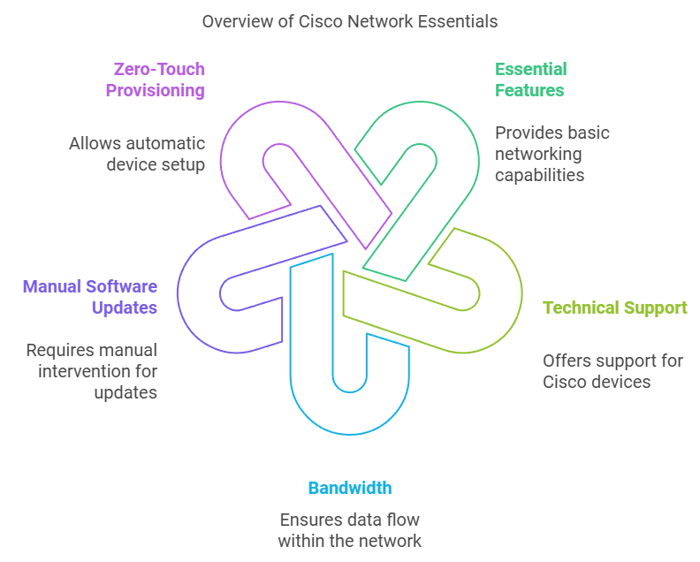
Cisco Network Essentials is a perpetual base license for switches running mostly at Layer 2 with simple Layer 3 needs. It suits access closets, small campuses, and branch sites where routing is static or lightly dynamic.
On the Catalyst 9300/9400/9500, Network Essentials typically includes:
Static routing, RIP, EIGRP stub, and OSPF with limited route scale (around 1,000 routes in practice; confirm the exact limit for your platform and IOS-XE release in the Cisco licensing matrix)
- Inter-VLAN routing and SVIs
- PIM stub multicast
- MACsec encryption (typically 128-bit; support varies by platform)
- 802.1X authentication and standard ACLs
- Standard QoS, Layer 3 routed access, Zero-Touch Provisioning, NETCONF/RESTCONF/gRPC/YANG programmability with model-driven telemetry, and Software Image Management (SWIM)
If your access switches terminate VLANs and hand off to a routed core, Essentials usually does the job. Check the OSPF route limit for your platform if you run a large area, since that ceiling is the most common reason teams discover they need Advantage.
Cisco Network Advantage: features and best fit
Cisco Network Advantage is the perpetual license for switches that must run full dynamic routing, segmentation, and high availability. It includes everything in Essentials and adds the enterprise routing and fabric feature set.
Network Advantage adds:
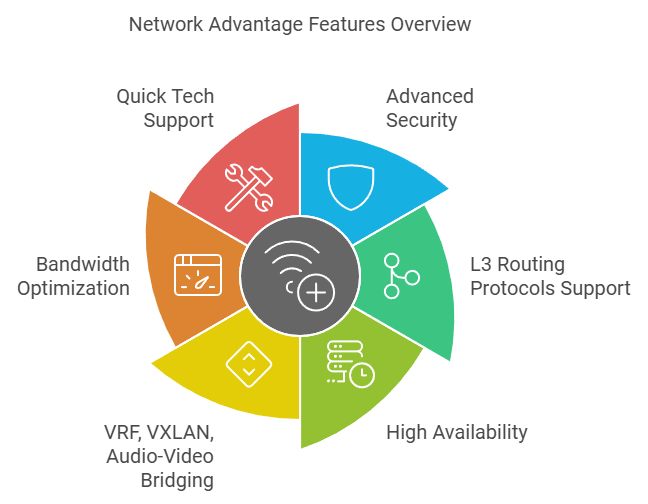
- Full Layer 3 routing: BGP, full OSPF, full EIGRP, and IS-IS
- VRF and VRF-lite for segmentation
- VXLAN and SD-Access fabric support
- Higher MACsec key strength (256-bit GCM-AES on supported platforms; Essentials is limited to 128-bit)
- Advanced multicast (full PIM) and bandwidth optimization
- High availability such as StackWise Virtual
- Precision Time Protocol and Audio Video Bridging on supported platforms
Advantage is the right call for the core, the edge, data center top-of-rack, and any fabric or multi-site design where the switch needs its own routing intelligence and its own autonomous system for BGP peering.
Network Essentials vs. Network Advantage: Comparison Table
| SN | Features | Network Essentials | Network Advantage |
|---|---|---|---|
| 1 | Essential Switch Capabilities | Yes | Yes |
| 2 | L3 Routed Access | Yes | Yes |
| 3 | Programmability, NETCONF/RESTCONF/gRPC/YANG | Yes | Yes |
| 4 | Zero Touch Provisioning | Yes | Yes |
| 5 | 128-bit MACsec encryption | Yes | Yes |
| 6 | Advanced telemetry SPAN, RSPAN | Yes | Yes |
| 7 | Streaming telemetry and visibility | Yes | Yes |
| 8 | Cisco Trustworthy Solutions | Yes | Yes |
| 9 | Software Image Management (SWIM) | Yes | Yes |
| 10 | Full L3 routing functionality | No | Yes |
| 11 | Flexible network segmentation | No | Yes |
| 12 | High availability | No | Yes |
| 13 | Patch/SMU lifecycle management | No | Yes |
| 14 | Optimize bandwidth utilization (Advanced Multicast) | No | Yes |
| 15 | 256-bit MACsec encryption | No | Yes |
| 16 | Precision Time Protocol | No | Yes |
| 17 | Audio Video Bridging | No | Yes |
Cisco DNA (Catalyst) Essentials vs. DNA Advantage: the subscription stack
The subscription tier governs what Cisco Catalyst Center can do with the switch. This is the layer most "Cisco DNA Essentials vs. Advantage" searches are really asking about.
Cisco DNA / Catalyst Essentials is the baseline subscription. It covers device onboarding and inventory, Network Plug and Play (PnP) provisioning, an overall health dashboard, Software Image Management through Catalyst Center, out-of-the-box reports, Full Flexible NetFlow, Embedded Event Manager (EEM), and Cloud Monitoring for Catalyst.
Cisco DNA / Catalyst Advantage adds the advanced automation and analytics layer: SD-Access policy and fabric automation, LAN automation, AI Network Analytics, AI Endpoint Analytics, Group-Based Policy Analytics, Device 360 / Client 360 troubleshooting, Application Hosting, Application Visibility and Control (AVC / NBAR2), IPsec, ThousandEyes integration, Encrypted Traffic Analytics, Cisco Spaces Extend, and Wireshark packet capture through Catalyst Center.
| Capability | DNA / Catalyst Essentials | DNA / Catalyst Advantage |
|---|---|---|
| Full Flexible NetFlow, EEM | Yes | Yes |
| Software Image Management (SWIM) | Yes | Yes |
| Overall health dashboard | Yes | Yes |
| Network PnP / Zero-Touch Provisioning | Yes | Yes |
| Out-of-the-box reports | Yes | Yes |
| Cloud Monitoring for Catalyst | Yes | Yes |
| SD-Access (fabric, segmentation) | No | Yes |
| LAN automation | No | Yes |
| AI Network Analytics, AI Endpoint Analytics | No | Yes |
| Device 360 / Client 360 | No | Yes |
| Application Hosting, AVC (NBAR2) | No | Yes |
| IPsec | No | Yes |
| ThousandEyes, Cisco Spaces Extend | No | Yes |
| Wireshark, Encrypted Traffic Analytics | No | Yes |
If you manage switches entirely from the CLI and do not run Catalyst Center, the subscription stack buys you little day to day. That leads to the renewal question almost everyone asks.
What happens when a Cisco DNA / Catalyst subscription expires?
On Catalyst access, core, and aggregation switches, the switch keeps forwarding traffic. The DNA/Catalyst subscription licenses are an unenforced license type, so when the term lapses the switch does not enter evaluation mode, shut down interfaces, or drop traffic. It continues forwarding at line rate on the perpetual Network license under CLI management.
This behavior comes from Smart Licensing Using Policy (SLUP), introduced in Cisco IOS-XE Amsterdam 17.3.2a. Two things still apply:
- The device runs a default policy requiring RUM usage reporting (typically every 90 days). Skipping reporting puts the device out of compliance and raises a renewal alert in Catalyst Center, but does not disable forwarding.
- This non-enforcement applies only to the unenforced subscription tiers. It does not apply to export-controlled or license-enforced items, such as the HSECK9 high-security key, which require an authorization code to be installed on the device.
The switch should continue forwarding traffic on its perpetual Network license after the subscription lapses, but Catalyst Center features, usage reporting, and compliance status are affected. Treat the renewal as a decision about controller features and compliance, not about keeping the hardware alive.
How to choose between Cisco Network Essentials and Network Advantage
Choose based on where the switch sits and what routing it must do, not on price alone.
- Access layer, CLI-managed, static or light dynamic routing: Network Essentials. L2 and static routes carry the traffic, and OSPF or EIGRP stub covers the rest.
- Core, edge, data center, or fabric: Network Advantage. You need BGP for your own AS and clean WAN peering, full routing scale, VRF/VXLAN segmentation, and StackWise Virtual for high availability.
- Running Catalyst Center for automation, assurance, or SD-Access: match the DNA/Catalyst subscription tier to the controller features you will actually use.
A simple field rule we follow: Essentials in the access layer, Advantage in the core and edge.
You can read our Cisco Catalyst 9300 vs 9300X comparison article here.
FAQs
1. Is Cisco DNA the same as Catalyst now?
Effectively yes. Cisco is replacing the "DNA" brand with "Catalyst." Cisco DNA Center is now Cisco Catalyst Center, and Cisco DNA Essentials/Advantage are now Catalyst Essentials/Advantage. The tiers and feature sets map directly, so older "DNA" quotes and configs correspond to the Catalyst names.
2. What is the difference between Cisco DNA Essentials and DNA Advantage?
DNA (Catalyst) Essentials is the baseline subscription: PnP provisioning, health dashboards, SWIM, NetFlow, EEM, and Cloud Monitoring. DNA Advantage adds advanced automation and analytics: SD-Access, LAN automation, AI Network Analytics, Device 360/Client 360, application hosting, AVC, IPsec, ThousandEyes, and Wireshark. Both are term subscriptions tied to Catalyst Center.
3. Is Network Advantage perpetual or a subscription?
Network Advantage is a perpetual license that never expires. The subscription part of a Catalyst order is the separate DNA/Catalyst Advantage tier, which is term-based and powers Catalyst Center features. The two are bundled at purchase but are different licenses.
4. Can you upgrade from DNA Essentials to DNA Advantage?
Yes. You can move from Essentials to Advantage on both the Network (perpetual) and DNA/Catalyst (subscription) stacks. Practically, you purchase the Advantage tier and apply it through Smart Licensing; on the subscription side this is a tier change in your Smart Account. Confirm co-termination and proration with your reseller so the new term lines up with existing subscriptions.
5. Will inter-VLAN routing work on Network Essentials?
Yes. Network Essentials supports SVIs and basic inter-VLAN routing, so you can route between local VLANs without Advantage. You only need Advantage for full dynamic routing protocols, larger route scale, or fabric features.