
The Problem: Unstable Power at the Network Edge
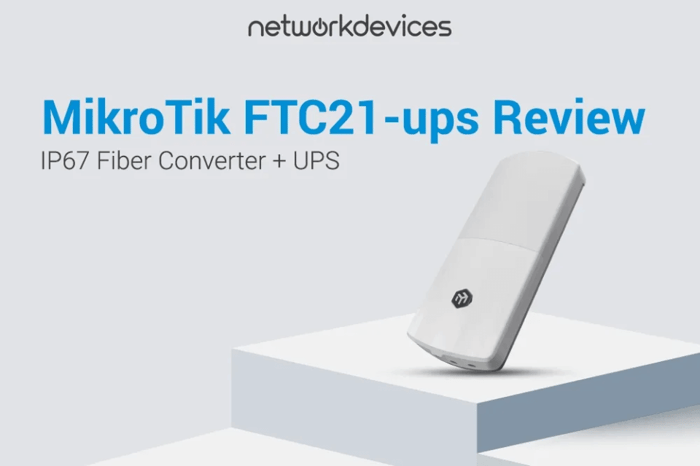
The MikroTik FTC21-ups addresses a primary failure mode at fiber network edges: unstable power, which causes link renegotiations and device reboots. Deploy the FTC21-ups for outdoor IP cameras, wireless backhaul endpoints, or any fiber-connected equipment in areas with brownouts and brief power interruptions. This device mitigates power flicker rather than extended outages.
It combines SwOS Lite management, an IP67 weatherproof enclosure, dual built-in Li-Ion NCA 18650 batteries, and Passive PoE-out on Ether2. You can build an outdoor fiber handoff that does not require a separate weatherproof box and a separate mini-UPS just to survive short voltage sags. It will not fix bad fiber, dirty optics, marginal terminations, duplex mismatch, or a link partner that behaves poorly during autonegotiation. It simply keeps the link up when the input power fluctuates.
The FTC21-ups excels in three scenarios: (1) outdoor CCTV requiring fiber backhaul and PoE delivery to a compatible edge device, (2) WISP/ISP pole or rooftop sites where grid voltage dips cause annoying renegotiations, and (3) industrial/OT edge monitoring in facilities that switch between mains and generator power.
This guide covers specifications verified from official MikroTik materials, battery runtime expectations, SwOS Lite management uses (VLAN and SNMP), deployment patterns, PoE output limitations (Passive-only, so verify device input requirements), installation notes, and an honest view of what this device does not address.
Verdict
Who it's for: Engineers deploying outdoor fiber-to-copper conversion where brief power instability causes resets, and where you want IP67 weather sealing plus basic SwOS Lite management (VLAN/SNMP) in one unit.
Who should skip: Anyone who needs extended backup runtime, needs 802.3af/at negotiated PoE-out to enterprise devices, or needs a multi-port switch. If your environment already has reliable UPS-backed power, a simpler converter is often enough.
Technical Specifications
| Spec | Value | Notes/Constraints |
|---|---|---|
| Product code | FTC21-ups | Outdoor converter with built-in batteries |
| Enclosure rating | IP67 | Weatherproof; intended for outdoor mounting |
| Ethernet ports | 2 × 1G (10/100/1000) | PoE-out only on Ether2 |
| SFP ports | 1 × SFP | Listed as "2.5G supported" |
| Switch chip | 88E6341 | Managed switching functions anchored on this platform |
| Operating system | SwOS Lite / SwOS | "Full version of SwOS Lite"; spec table lists SwOS |
| Tested ambient temperature | -40°C to +70°C | Outdoor edge environments |
| Battery discharge temperature | -20°C to +65°C | Battery performance is temperature-sensitive |
| Dimensions | 268 × 113 × 44 mm | Plan mounting clearance and cable bend radius |
| DC inputs | 2 | PoE-in and DC jack |
| PoE-in standard | 802.3af/at | Input powering via PoE |
| PoE-in voltage | 48-57 V | Accepts PoE-in range stated by MikroTik |
| DC jack input voltage | 24-57 V | Adapter or external DC source |
| PoE-out type | Passive PoE (Ether2) | Selectable 24 V or 48 V via hardware switch |
| PoE-out limit (low voltage) | 0.625 A | Applies when set to 24 V |
| PoE-out limit (high voltage) | 0.315 A | Applies when set to 48 V |
| Total PoE-out power | 15 W | Total output power limit |
| Max power (no attachments) | 3 W | Useful baseline for battery-only scenarios |
| Max power consumption | 28 W | Includes attached/PoE loads |
| Battery | 2× Li-Ion NCA 18650 | Built-in pair of cells (3.6 V, 2500 mAh) |
| MTBF | ~100,000 hours @ 25°C | Planning metric, not a field guarantee |
| Included parts | 48 V 0.95 A adapter, PoE injector, hose clamp, K-95 set | Deployment-friendly packaging |
Temperature matters twice: battery discharge limits are stated as -20°C to +65°C, and even within that band, cold reduces available energy and peak current. Treat this runtime table as a planning baseline at 20°C, not a guarantee.
Battery Management Behavior
The battery system is intelligently managed: inactive during shipping, activated on first power-up, and can be placed into ship mode remotely via SwOS when needed.
This matters operationally. For staged deployments, you can mount units in advance and bring them online when the site is ready without worrying that the device arrived with a partially drained pack.
Power Budget Math
- If your edge device draws 7 W at 24 V, the current is:
7 W ÷ 24 V = 0.29 A, well inside the 0.625 A PoE-out limit at 24 V.
- If you power the same 7 W device at 48 V:
7 W ÷ 48 V = 0.15 A, fits under the 0.315 A limit at 48 V.
Watch the edge case: 15 W at 48 V draws 0.31 A. That's effectively at the high-voltage current limit. In the field, you want headroom for inrush and temperature effects, so treat "near-limit" designs as "verify with device datasheet + measured draw."
SwOS Lite Management Capabilities
MikroTik positions the FTC21-ups as "not just a converter" because it runs SwOS Lite. It includes interface monitoring and management, VLAN support, SNMP reporting, basic traffic shaping, and ACL-based packet filtering/accounting with VLAN tagging conditions based on Layer 2/3/4 headers.
What This Means in Real Deployments
- Interface monitoring: At the edge, you want to know whether you lost the fiber link, lost copper, or lost power. SwOS Lite lets you treat the device as something you can observe instead of a black box.
- VLAN segmentation (CCTV example): If you're backhauling cameras over fiber into a core switch, VLANs keep camera traffic isolated from corporate or guest networks. The practical goal is simple: the camera network stays predictable even when someone changes core access ports. The 88E6341 switch chip processes VLAN tags in hardware, minimizing CPU overhead.
- SNMP to NMS: SNMP reporting is a real differentiator over unmanaged converters because you can alert on link state and keep historical counters in your NMS (Zabbix, PRTG, LibreNMS, or similar). Battery status, PCB temperature, and port utilization are all accessible for automated monitoring (critical for remote outdoor devices with infrequent physical access).
- ACLs: MikroTik's description is broad (L2/L3/L4 header conditions). Treat ACL usage as "control-plane guardrails" rather than a replacement for a firewall. The typical edge use is to limit obvious noise or to enforce that only expected flows traverse the converter.
Constraint: SwOS Lite feature depth can vary by version and device family. If you are planning around a specific control (for example, a particular ACL match/action), confirm it in the current SwOS Lite documentation and test on a bench unit before standardizing.
Real-World Deployment Scenarios
Scenario A: CCTV Installer (Pole-Mounted Outdoor Camera with Fiber Backhaul)
Context: One camera or a small cluster mounted on a pole or building edge. Fiber comes from a closet or a handoff point; copper runs the last meters to the camera.
Problem pattern: The camera drops offline during brownouts, then reboots and reconnects. The fiber is fine; the power is not. MikroTik explicitly calls out this failure mode as common at the network edge.
What FTC21-ups changes: The built-in batteries ride through short dips and keep the link stable. If your camera supports Passive PoE (verify input), Ether2 can supply power without another injector.
Expected runtime: Use MikroTik's 20°C baseline examples as planning anchors and validate against measured camera draw. A 7W camera at 24V draws 0.29A, well within the 0.625A limit. Plan your runtime from MikroTik baselines and validate with measured draw.
Compatibility check: Passive PoE means you must confirm the camera input voltage and PoE type before connecting. Many enterprise cameras from Axis, Hanwha, or Bosch require 802.3af/at and are incompatible.
Scenario B: WISP/ISP Technician (Rooftop Wireless Endpoint with Fiber Uplink)
Context: A rooftop or pole site with a wireless device that needs a stable uplink behavior. The symptom is intermittent renegotiation that looks like RF instability until you correlate it with site power.
Problem pattern: Brief outages trigger reboots and renegotiations, especially when the power source is shared, undersized, or exposed. Supplying an external UPS is bulky and requires a secondary weatherproof box.
What FTC21-ups changes: The converter mounts directly to the pole using the included hose clamp, converting the fiber feed while powering the AP. The integrated battery delivers up to 2 hours of runtime for an LHG 5, bridging the gap until grid power stabilizes. No secondary enclosure, no separate UPS, no additional PoE injector.
Compatibility check: If you plan to power a radio from Ether2, confirm Passive PoE support and choose 24 V or 48 V accordingly via the hardware switch.
Scenario C: Industrial OT Specialist (Remote Edge Sensor/Controller with Unstable Mains)
Context: A remote monitoring point with a fiber uplink used for reliable distance and EMI resistance. Power is unstable due to load switching, generator transfer, or inconsistent site wiring.
Problem pattern: OT alarms and data gaps correlate with power dips. A few seconds of interruption causes a chain reaction (sensor reboots, alarm flooding, and SCADA data gaps) that triggers escalations.
What FTC21-ups changes: You can treat power instability as a "short event" rather than a "network reset." The DC jack input (24-57V) connects to the facility's DC bus, where available, while PoE-in provides an alternative power path. SNMP reporting feeds battery status and temperature data into the facility's existing monitoring infrastructure.
Compatibility check: Passive PoE-out is not a universal power source for OT gear. Many industrial devices expect a regulated DC input rather than Passive PoE; verify before connecting.
PoE Output Capabilities & Limitations
WARNING: Passive PoE Only
The FTC21-ups provides Passive PoE output only on Ether2. Connecting enterprise devices that expect negotiated 802.3af/at power without verifying input voltage compatibility can cause severe equipment damage.
Power System & Installation
Flexible Powering & Monitoring
The FTC21-ups supports two DC inputs: PoE-in (802.3af/at, 48-57 V) and a DC jack (24-57 V). Use both simultaneously for redundancy. LED indicators display power status, active PoE-in, Ethernet link activity, and SFP activity for rapid onsite diagnostics.
Installation and Fiber Connections
MikroTik includes a 48 V power adapter, a Gigabit PoE injector, a hose clamp for 2-3 inch poles, and a fastening set.
Keep the four cable glands oriented downward to reduce water intrusion risk.
The 1× SFP port is listed as "2.5G supported". Confirm your intended SFP module and link partner behavior in a bench test before building a standard around multi-gig assumptions. The module must be purchased separately.
Purchase Recommendations
Choose the FTC21-ups When:
- You have documented brownouts that cause renegotiations or reboots at the edge.
- You need an outdoor-ready converter with IP67 protection.
- You want VLAN/SNMP visibility at the conversion point.
- Your powered device is confirmed compatible with Passive PoE and fits inside the power limits.
Skip It When:
- The site already has reliable UPS-backed power.
- Your powered device expects negotiated 802.3af/at PoE-out behavior.
- You need extended runtime beyond what the internal batteries provide.
- The network design requires Layer 3 routing or local DHCP.
- Carrier-grade reliability with strict uptime SLAs dictates enterprise-tier hardware.


FAQs
1. What problem does the MikroTik FTC21-ups solve?
It keeps edge links stable during short power interruptions, targeting the common failure mode where unstable power triggers renegotiations and device reboots.
2. How long does the battery last?
Runtime depends on load and temperature. MikroTik provides baselines at 20°C ranging from approximately 45-55 minutes at 13 W to roughly 6 hours standalone. Validate with measured draw from your actual device.
3. Can it power IP cameras during outages?
Yes, provided the camera supports Passive PoE at the selected voltage and stays within the total 15 W power limit.
4. What SFP modules are compatible?
It has one SFP port listed as "2.5G supported". Choose your SFP based on fiber type and required distance. Confirm multi-gig behavior in a bench test before deploying.
5. Can I monitor the FTC21-ups remotely?
Yes. SNMP reporting and interface monitoring allow NMS alerts on link state, battery status, PCB temperature, and port utilization.